Edits for Mac: Instagram's free video editor comes to the desktop, and works with AI agents
On November 5, 2026 Instagram released Edits for Mac, the first desktop version of its editing app: it is free, has a multi-track timeline, exports in 4K without a watermark, publishes straight to Instagram and lets you connect AI agents through MCP to build a first rough cut for you. Here is what it does, what is missing and how to use it for your content.
Leggi questo articolo in italiano
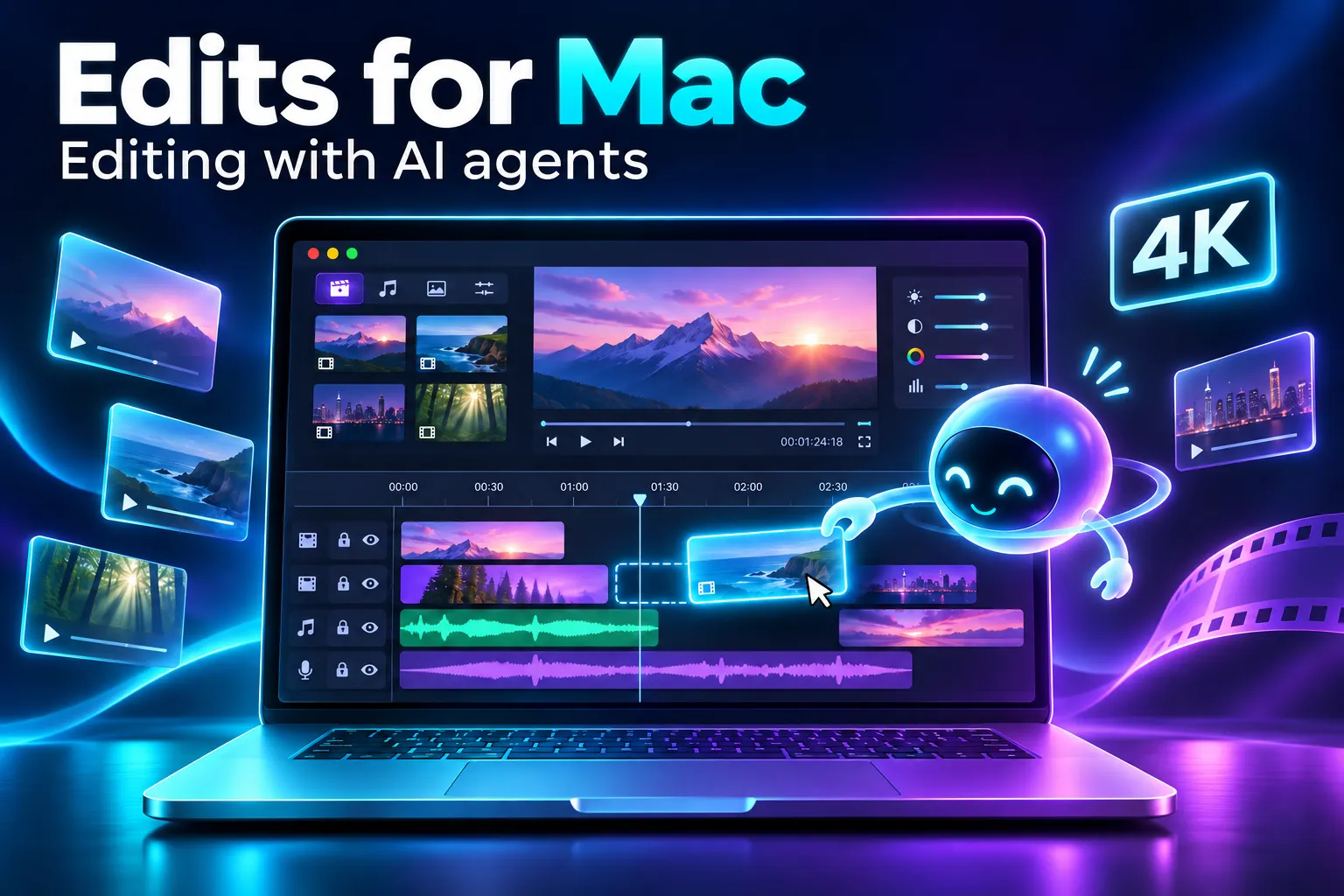
What Edits for Mac is and when it launched
Edits for Mac is the desktop version of Edits, Instagram's video editing app, released on November 5, 2026. The announcement was written by Brett Westervelt, who leads the app, on the official Edits blog, which calls it the first version of the desktop editor.
The reason, in Westervelt's words quoted by TechCrunch, is simple: many creators describe the same moment, when a project gets too big for the phone. A bigger screen, a mouse and a keyboard matter for longer, more precise edits.
According to the Edits blog, in just over a year 50 million people have used the app (a figure stated by Instagram). TechCrunch notes that the desktop version puts Edits in more direct competition with ByteDance's CapCut, which has been on Windows and Mac since 2021.
What you can do with Edits on Mac
The desktop version brings the tools you expect from a computer editor, listed in the official post:
- a multi-track timeline with keyframes and detailed audio waveforms, for cutting on the beat;
- precise split, cut and trim;
- color grading with color wheels, curves and log conversion, plus importing your own LUTs and fonts;
- multiple aspect ratios, both vertical and horizontal;
- hundreds of sound and video effects and Instagram's licensed, royalty-free music library;
- unlimited automatic captions in multiple languages;
- custom keyboard shortcuts, or ones carried over from another editor;
- watermark-free 4K export.
Audio and text styles saved in the mobile app show up on the Mac. And you can publish straight to Instagram from the computer, with tagging, location and trial reels built in.
AI agents inside Edits: how MCP works
The most interesting addition is MCP (Model Context Protocol), the standard that lets an AI assistant use another app's tools. The Edits blog confirms that AI agents can connect to the desktop editor through MCP to help with your projects.
In practice, as Android Headlines describes it, you can ask an agent, for example Meta Muse, to use Edits' MCP tools to build a first rough cut from a video in your Downloads folder. Then you open the project in Edits and finish it by hand. You can switch between agent editing and manual editing at any time.
An agent that edits for you handles the repetitive work (selecting, cutting, ordering), not the creative choices. Always check pacing, cuts and captions before you publish.
Edits is not the first editor to move this way: Apple has also opened its creative apps to agents, as we covered in our article on Apple Creator Studio. To understand how agents learn to use new tools, read the one on Anthropic's Agent Skills.
Requirements and limits: who can use it today
Before you download it, check these points, taken from the official download page:
| Question | Answer |
|---|---|
| How much does it cost? | It is free to download |
| Which computers does it run on? | macOS only, on Macs with Apple silicon (M1 or later) |
| Is there a Windows version? | No: Edits desktop is only available on macOS |
| Can I continue on the Mac a project started on my phone? | Not yet: Instagram says it is working on it |
| How often is it updated? | Every week, like the mobile app |
The biggest limit today is the last one: if you shoot and edit on your phone, moving to the Mac means starting a new project from scratch. If you work on Windows, you stay with the editors you already use for now.
What it means for you as a content creator
If you post Reels, Edits for Mac gives you a complete, free editor that talks directly to Instagram: you edit on a big screen, export in 4K without a watermark and publish without going back to your phone. If you produce many videos a week, MCP is the part worth testing: let the agent build the first rough cut and keep the choices that make the difference for yourself.
The tool does not replace the method, though. If you want to automate cuts, captions and formats with a workflow that works in any editor, start with AI Editing Automation; if you mostly edit on your phone, there is CapCut Mobile Mastery. To always have something to edit, the 70 prompts in 30 Days of Content help you plan hooks, Reel scripts and the month's calendar in a single session.
Want the full picture, from AI video to editing to selling? You will find it in The AI Creator System. And if you already use Meta Muse, our article on Muse with voice and avatars explains what Meta's agent can do today.
Frequently asked questions
Is Edits for Mac free?
Yes. According to Instagram's official page, Edits for macOS is free to download, and it exports in 4K without a watermark.
Does Edits work on Windows?
No. As of November 9, 2026 Edits desktop is only available on macOS, on Macs with Apple silicon (M1 or later).
What is MCP in Edits?
It is the Model Context Protocol, a standard that lets an AI agent use the editor's tools. You can ask an agent, for example Meta Muse, for a first rough cut and then finish it by hand in Edits.
Can I open on my Mac a project I started on my phone?
Not yet. Instagram says it is working on editing the same project across desktop and mobile; for now only saved audio and text styles carry over.
Can Edits for Mac replace CapCut?
For Instagram Reels, yes, if you have an Apple silicon Mac: it has a multi-track timeline, color, captions and direct publishing. CapCut remains the option if you work on Windows or publish mainly on other platforms.
Read next


Sources checked on November 9, 2026
- Edits (Instagram) — Edits on Desktop, post di Brett Westervelt (5 novembre 2026)
- Edits (Instagram) — Edits for Desktop: pagina di download e domande frequenti
- TechCrunch — Instagram brings Edits to desktop to take on CapCut, di Aisha Malik (5 novembre 2026)
- Android Headlines — Instagram Edits arrives on Mac with AI agent support & 4K exports, di Sai Krishna (5 novembre 2026)