Videocorso + guida + kit · IT + ENVideo course + guide + kit · IT + EN

Smetti di montare a mano. Il video esce già montato.Stop editing by hand. The video comes out edited.

Non è un ebook: è un videocorso di 13 lezioni in italiano e in inglese, con guida, kit e 34 prompt. Impari a fare di Claude il tuo video editor.Not an ebook: a 13-lesson video course in Italian and English, with a guide, kit and 34 prompts. You learn to make Claude your video editor.

50 €29,97 €
Voglio il corso completoGet the full course Pagamento unico · accesso a vita · nessun abbonamentoOne-time payment · lifetime access · no subscription
13 video lezioni IT + 13 EN13 video lessons IT + 13 EN13 capitoli di guida13-chapter guide34 prompt + kit34 prompts + kit
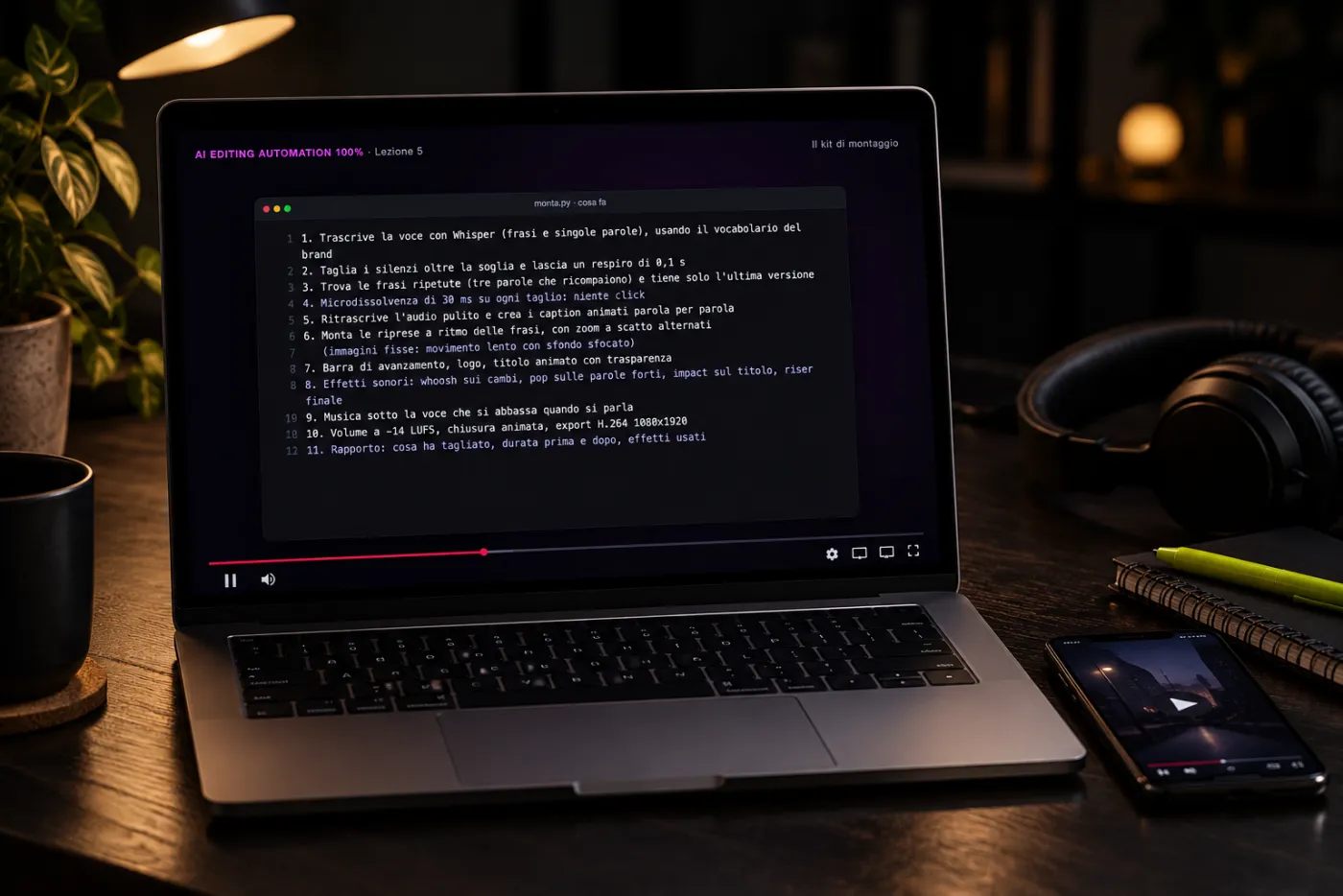
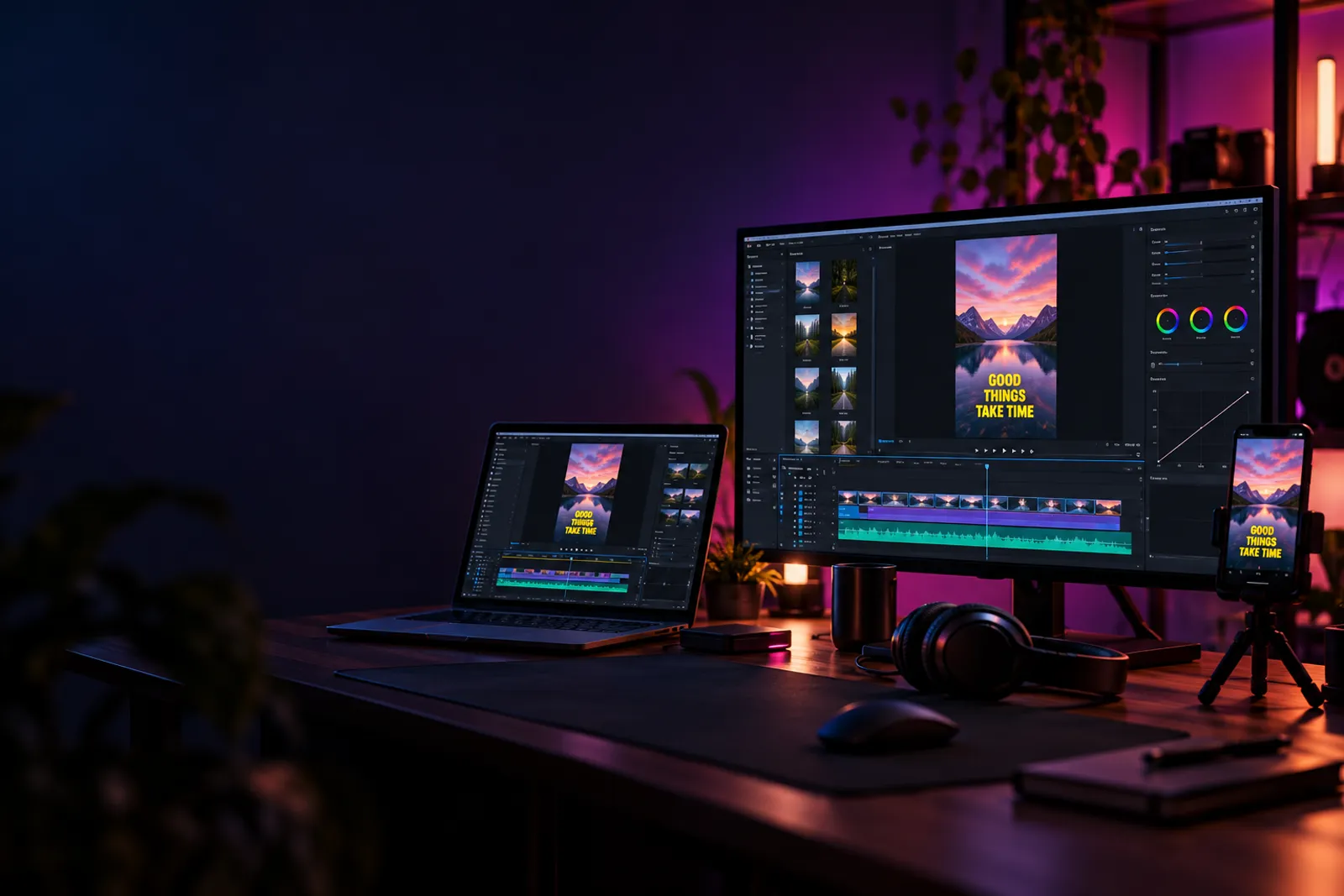
Un portatile su una scrivania con la lezione 5 del videocorso sullo schermo
Immagine illustrativa creata con AI · sullo schermo, un fotogramma vero della lezione 5Illustrative image made with AI · on screen, a real frame from lesson 5
Corso + guida + kitCourse + guide + kit
50 €29,97 €

Pagamento unico · accesso a vita · nessun abbonamentoOne-time payment · lifetime access · no subscription

Voglio il corso completoGet the full course
Pagamento sicuroSecure payment
Il tipo di editing che impariThe kind of editing you learn

Avatar che parlano, sottotitoli animati, zoom e grafiche. Montati così.Talking avatars, animated subtitles, zooms and graphics. Edited like this.

Video con gli avatar AI di Luca Avallone e di Alessandro, creator di trading: avatar e voci sono generati con AI. È lo stile di montaggio che nel corso impari a far fare a Claude. Premi il pulsante giallo per l’audio.Videos with the AI avatars of Luca Avallone and Alessandro, a trading creator: avatars and voices are AI-generated. It’s the editing style the course teaches you to hand over to Claude. Press the yellow button for sound.

Creato con AIMade with AI
Luca AvalloneContenuto socialSocial contentAvatar AI che parla, sottotitoli parola per parola, emojiTalking AI avatar, word-by-word subtitles, emoji
Creato con AIMade with AI
Luca AvalloneSpotAdParole chiave evidenziate, oggetti in sovrimpressioneHighlighted keywords, overlaid objects
Creato con AIMade with AI
Alessandro · tradingPersonal brandTitoli grandi a ritmo, parola chiave in coloreBig on-beat titles, keyword in colour
Creato con AIMade with AI
Alessandro · tradingVideo marketingMarketing videoRiprese di copertura, grafiche, sottotitoli a due coloriB-roll, graphics, two-colour subtitles
Sottotitoli animatiAnimated subtitles Zoom a scattoPunch-in zooms Silenzi e ripetizioni toltiSilences and retakes cut Grafiche e titoli animatiMotion graphics and titles Musica ed effetti sonoriMusic and sound effects

Le cifre che compaiono nei video completi fanno parte dei copioni dei video, non sono risultati né promesse di questo prodotto.Any figures in the full videos are part of the videos’ scripts, not results or promises of this product.

Non è un ebookNot an ebook

Un vero videocorso: vedi Claude montare, passo dopo passo.A real video course: watch Claude edit, step by step.

Ogni capitolo della guida ha la sua video lezione. Ti mostriamo nel dettaglio come impostare il tuo Claude perché diventi il tuo video editor — un ruolo che può costare circa 2.500 € al mese — dall’installazione al Brand Kit, dal montaggio alla consegna ai clienti.Every chapter of the guide has its own video lesson. We show you in detail how to set up your Claude to become your video editor — a role that can cost around €2,500 a month — from installation to the Brand Kit, from editing to client delivery.

13capitoli di guida in PDFchapters of PDF guide
13 + 13video lezioni: una serie in italiano e una in inglesevideo lessons: one series in Italian and one in English
26′di lezioni in italiano (23′ in inglese)of lessons in Italian (23′ in English)
34prompt pronti + il kit di montaggioready prompts + the editing kit
Area riservata · Corsi · AI Editing Automation 100%Members area · Courses · AI Editing Automation 100%
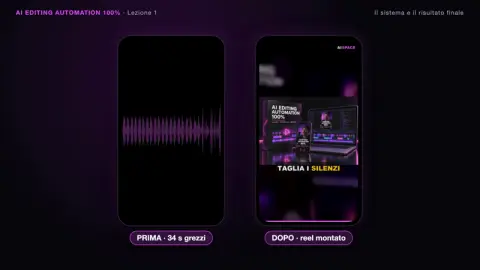
Un fotogramma della lezione 1 del videocorsoA frame from lesson 1 of the video courseCreato con AIMade with AI
Guarda l’inizio della lezione 1Watch the start of lesson 1
In riproduzioneNow playingIl sistema e il risultato finaleThe system and the final result
  1. 01Il sistema e il risultato finaleThe system and the final result2:362:20
  2. 02Setup in 5 minuti5-minute setup2:192:01
  3. 03Il Brand KitThe Brand Kit1:471:39
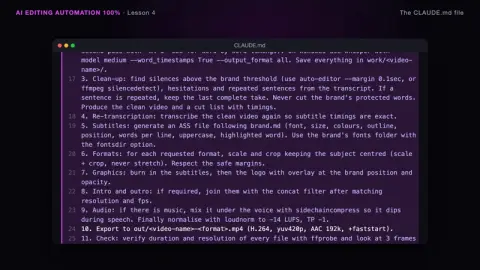
  4. 04Il file CLAUDE.mdThe CLAUDE.md file1:381:27
  5. 05Il kit di montaggioThe editing kit2:472:31
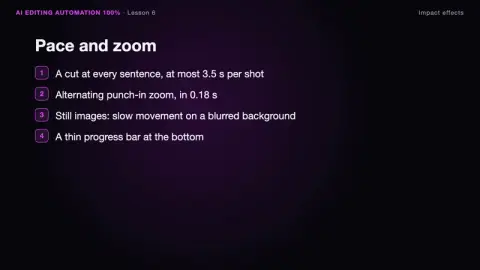
  6. 06Effetti d’impattoImpact effects2:342:14
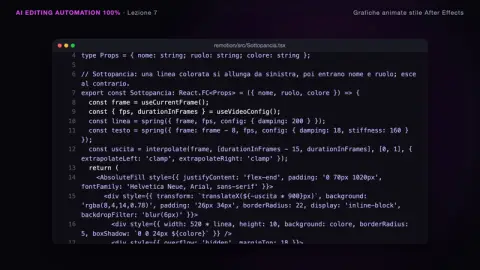
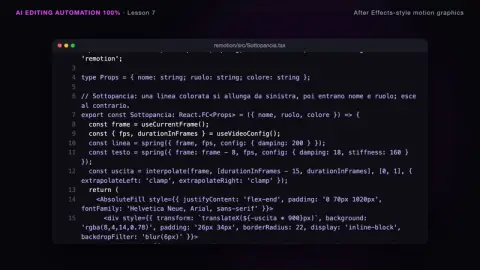
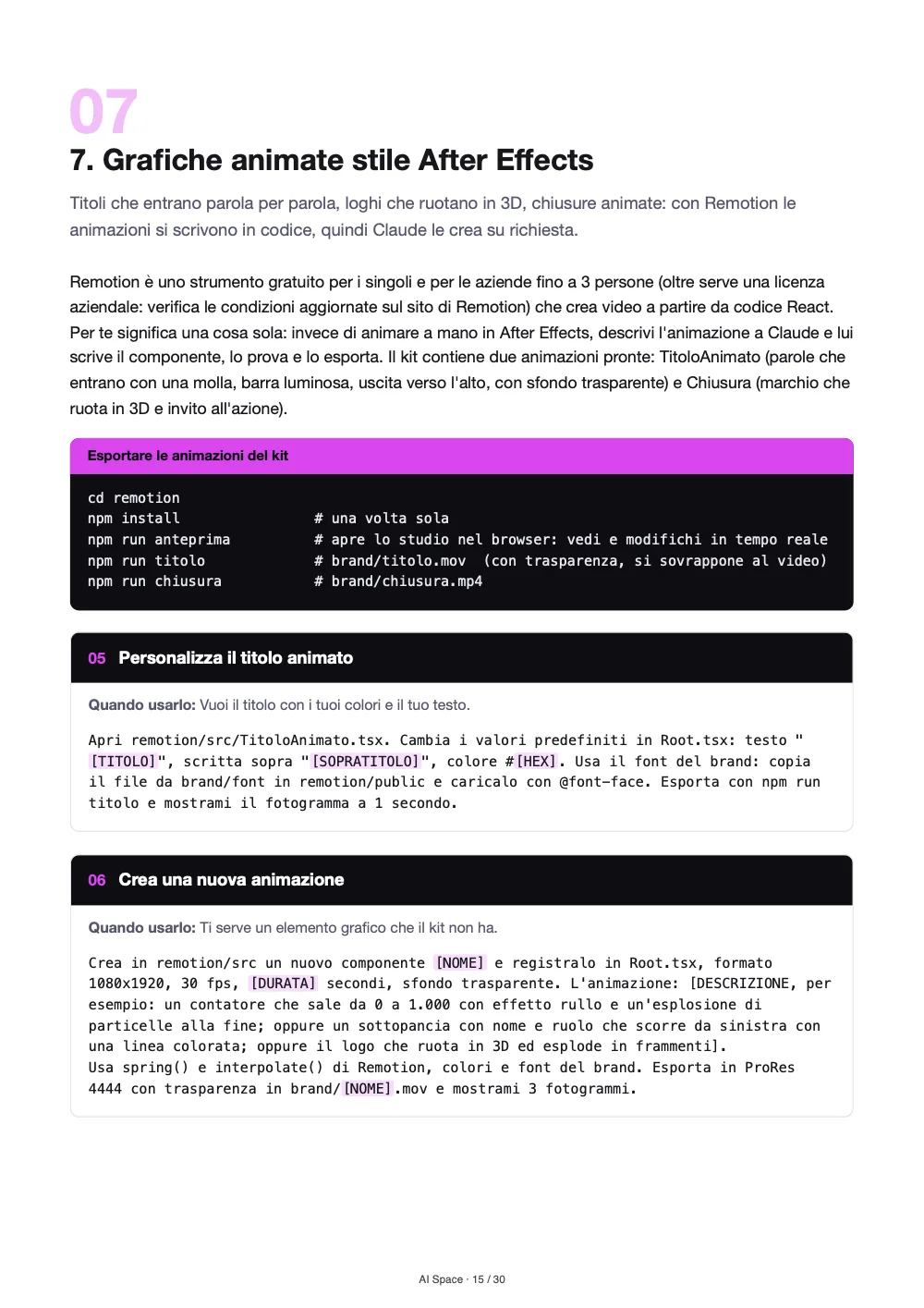
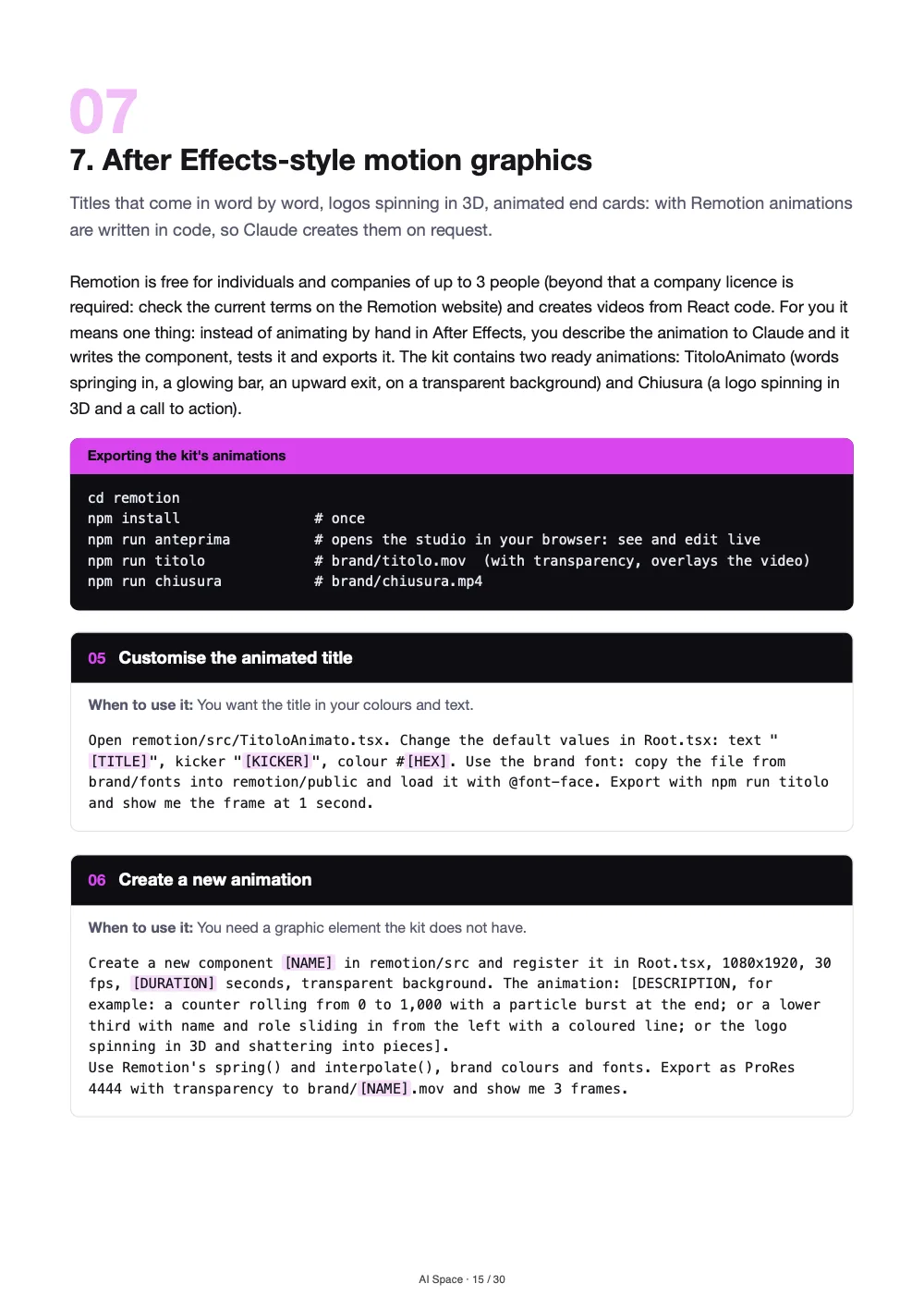
  7. 07Grafiche animate stile After EffectsAfter Effects-style motion graphics2:112:04
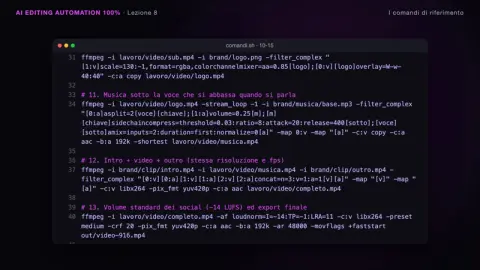
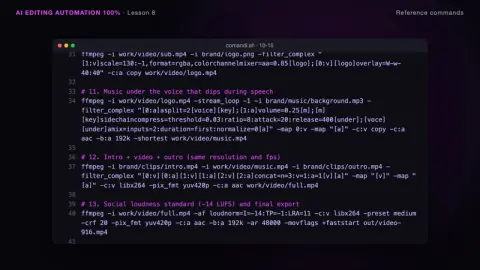
  8. 08I comandi di riferimentoReference commands1:381:31
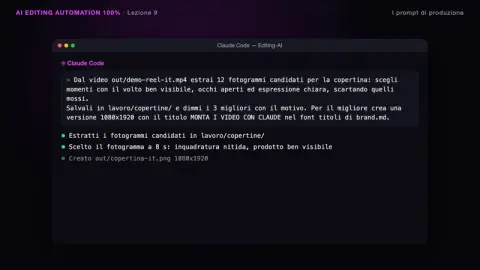
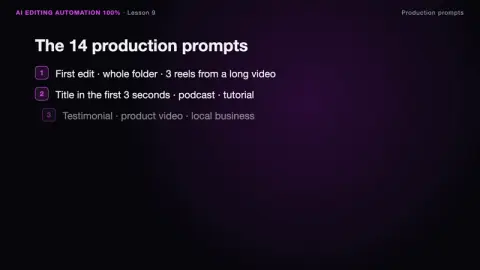
  9. 09I prompt di produzioneProduction prompts2:041:51
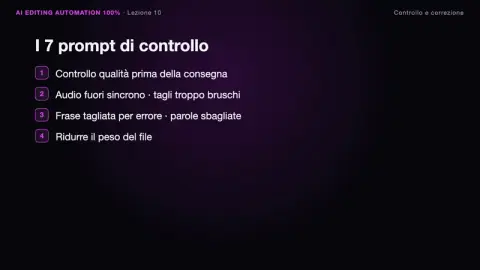
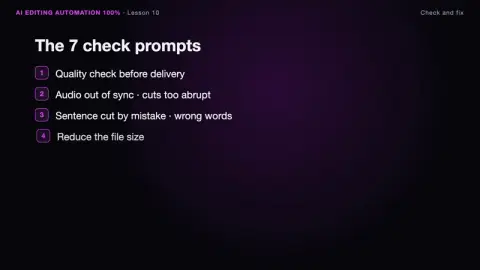
  10. 10Controllo e correzioneCheck and fix1:371:27
  11. 11Il workflow per agenzieThe agency workflow1:321:23
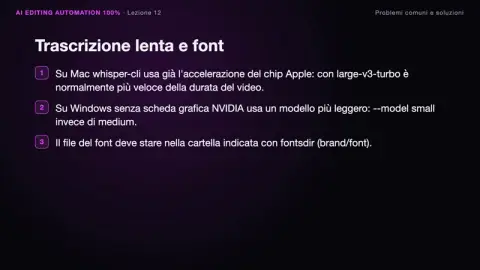
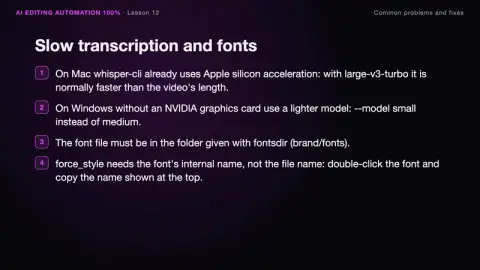
  12. 12Problemi comuni e soluzioniCommon problems and fixes1:431:30
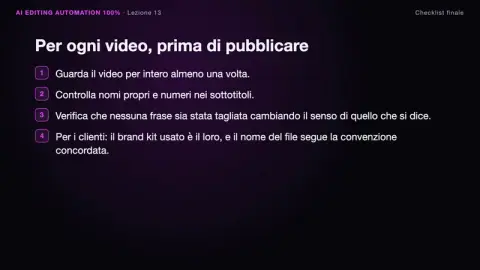
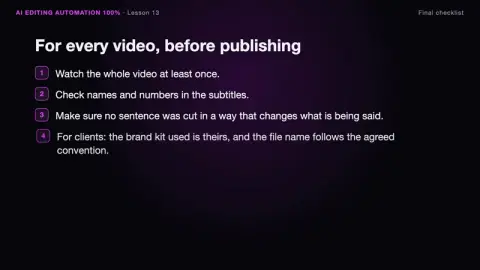
  13. 13Checklist finaleFinal checklist1:311:21

Premi play per guardare il primo mezzo minuto vero della lezione 1, con l’audio. Titoli e durate sono quelli delle lezioni; la finestra è una ricostruzione grafica, non una schermata dell’area riservata.Press play to watch the real first half-minute of lesson 1, with sound. Titles and lengths are the lessons’ own; the window is a graphic reconstruction, not a screenshot of the members area.

Il sistema e il risultato finaleThe system and the final result
2:362:20
Capitolo 1 · Lezione 1Chapter 1 · Lesson 1Il sistema e il risultato finaleThe system and the final result
Setup in 5 minuti5-minute setup
2:192:01
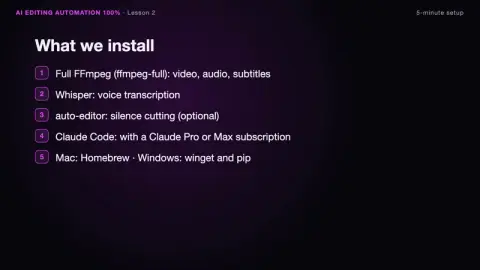
Capitolo 2 · Lezione 2Chapter 2 · Lesson 2Setup in 5 minuti5-minute setup
Il Brand KitThe Brand Kit
1:471:39
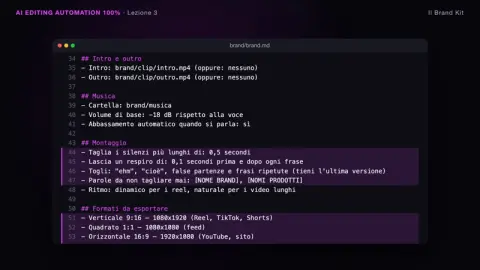
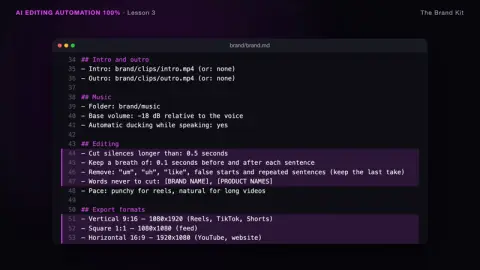
Capitolo 3 · Lezione 3Chapter 3 · Lesson 3Il Brand KitThe Brand Kit
Il file CLAUDE.mdThe CLAUDE.md file
1:381:27
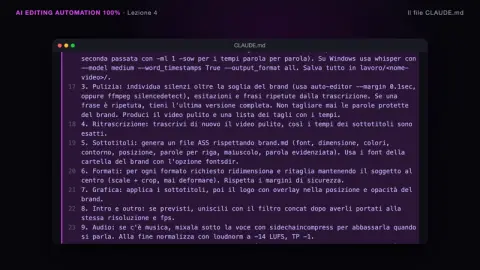
Capitolo 4 · Lezione 4Chapter 4 · Lesson 4Il file CLAUDE.mdThe CLAUDE.md file
Il kit di montaggioThe editing kit
2:472:31
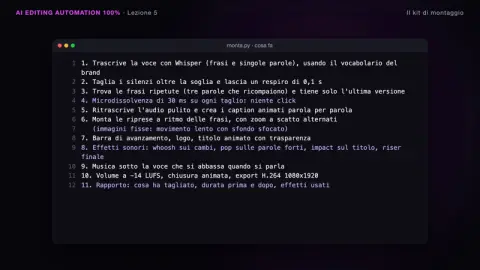
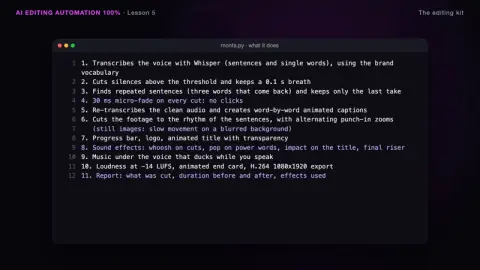
Capitolo 5 · Lezione 5Chapter 5 · Lesson 5Il kit di montaggioThe editing kit
Effetti d’impattoImpact effects
2:342:14
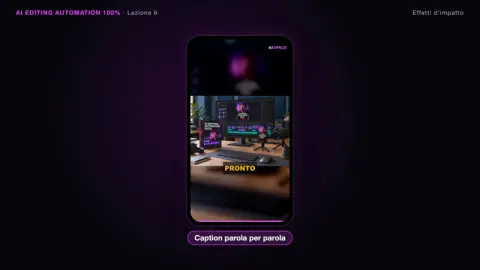
Capitolo 6 · Lezione 6Chapter 6 · Lesson 6Effetti d’impattoImpact effects
Grafiche animate stile After EffectsAfter Effects-style motion graphics
2:112:04
Capitolo 7 · Lezione 7Chapter 7 · Lesson 7Grafiche animate stile After EffectsAfter Effects-style motion graphics
I comandi di riferimentoReference commands
1:381:31
Capitolo 8 · Lezione 8Chapter 8 · Lesson 8I comandi di riferimentoReference commands
I prompt di produzioneProduction prompts
2:041:51
Capitolo 9 · Lezione 9Chapter 9 · Lesson 9I prompt di produzioneProduction prompts
Controllo e correzioneCheck and fix
1:371:27
Capitolo 10 · Lezione 10Chapter 10 · Lesson 10Controllo e correzioneCheck and fix
Il workflow per agenzieThe agency workflow
1:321:23
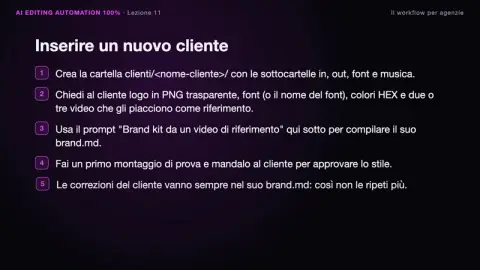
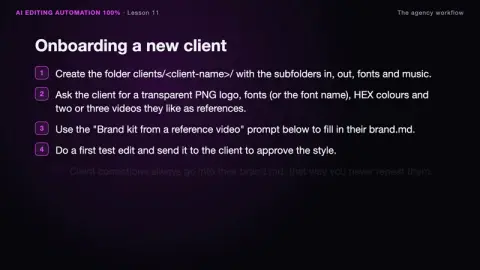
Capitolo 11 · Lezione 11Chapter 11 · Lesson 11Il workflow per agenzieThe agency workflow
Problemi comuni e soluzioniCommon problems and fixes
1:431:30
Capitolo 12 · Lezione 12Chapter 12 · Lesson 12Problemi comuni e soluzioniCommon problems and fixes
Checklist finaleFinal checklist
1:311:21
Capitolo 13 · Lezione 13Chapter 13 · Lesson 13Checklist finaleFinal checklist
InclusoIncludedGuida PDF di 13 capitoli13-chapter PDF guide30 pagine in italiano e in inglese, da tenere come manuale.30 pages in Italian and English, to keep as a manual.
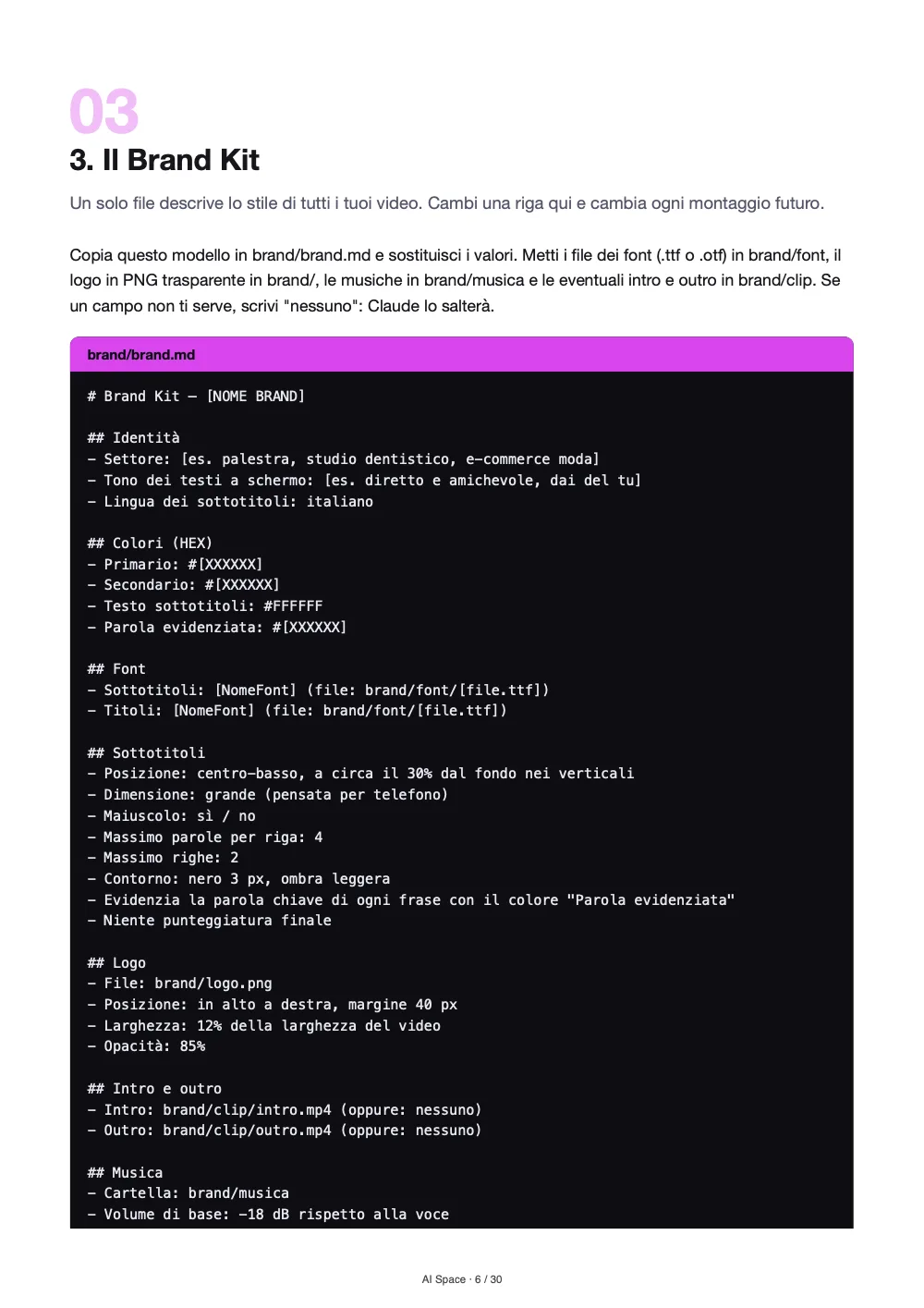
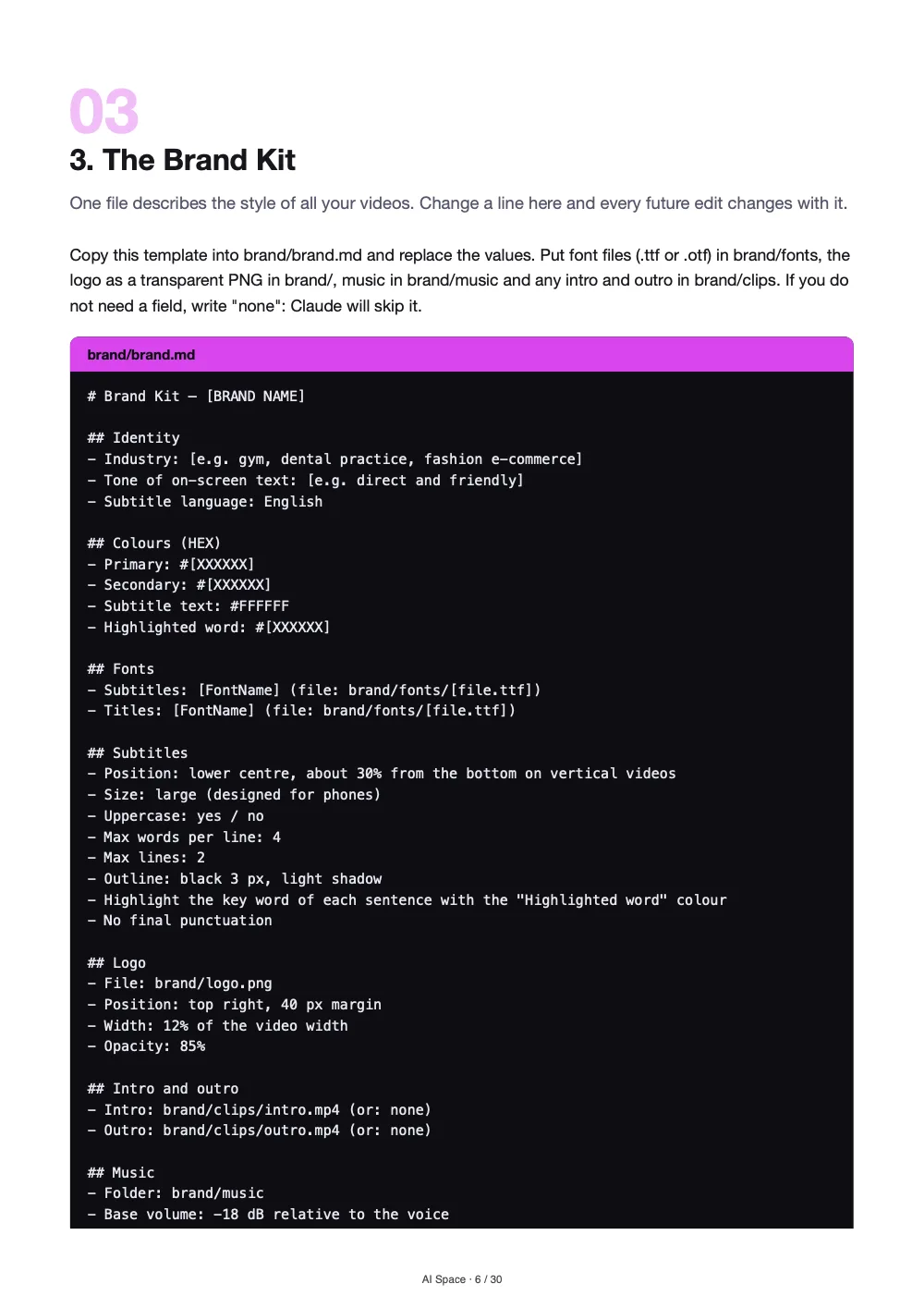
InclusoIncludedKit di montaggioEditing kitmonta.py, sottotitoli animati, effetti sonori, brand.json e modello Remotion.monta.py, animated subtitles, sound effects, brand.json and a Remotion template.
InclusoIncluded34 prompt pronti34 ready promptsPer produrre, controllare e consegnare, area per area.To produce, check and deliver, area by area.

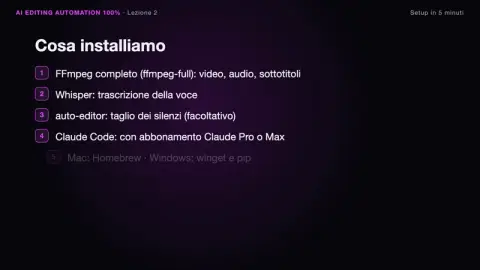
Un fotogramma vero da ciascuna lezione. Le lezioni hanno una voce narrante generata con AI, in italiano e in inglese.One real frame from each lesson. The lessons are narrated by an AI-generated voice, in Italian and in English.

Fai due contiDo the maths

Un video editor costa ogni mese. Questo lo paghi una volta.A video editor costs you every month. This you pay once.

Il lavoro ripetitivo di un montatore — tagli, sottotitoli, logo, musica, export — nel corso impari a farlo fare a Claude.The repetitive work of an editor — cuts, subtitles, logo, music, export — the course teaches you to hand it to Claude.

Un video editor dedicatoA dedicated video editor
~2.500 €~€2,500
al mese, ogni mese (stima)a month, every month (estimate)
  • Costo che si ripete ogni meseA cost that repeats every month
  • Tempi di consegna da concordareTurnaround times to negotiate
  • Lo stile va rispiegato a ogni persona nuovaYour style must be re-explained to every new person
AI Editing Automation 100%
50 €29,97 €
una volta sola · accesso a vitaonce · lifetime access
  • Corso, guida, kit e 34 prompt: tuoi per sempreCourse, guide, kit and 34 prompts: yours for good
  • Claude monta quando vuoi tu, sul tuo computerClaude edits whenever you want, on your computer
  • Il tuo stile scritto una volta nel Brand KitYour style written once in the Brand Kit
Imposta il tuo editor AISet up your AI editor

~2.500 € al mese è una stima indicativa del costo di un video editor dedicato; le tariffe reali cambiano con esperienza, paese e volume. Per usare il sistema serve un abbonamento Claude Pro o Max, che si paga a parte. È un confronto di costo, non una promessa di risparmio o di guadagno.~€2,500 a month is an indicative estimate of what a dedicated video editor costs; real rates vary with experience, country and volume. The system requires a Claude Pro or Max subscription, paid separately. This is a cost comparison, not a promise of savings or earnings.

timeline — esempio illustrativotimeline — illustrative example
Pause tagliate una per unaPauses cut one by oneZoom sulla timeline, taglia, chiudi il buco, ricomincia.Zoom into the timeline, cut, close the gap, repeat.
a manoby hand
Sottotitoli riscrittiSubtitles rewrittenParola per parola, poi il font, poi la posizione.Word by word, then the font, then the position.
ogni voltaevery time
Stile che cambiaStyle that driftsUn video con il logo, quello dopo senza.One video with the logo, the next one without.
incoerenteinconsistent
Video fermi nel telefonoVideos stuck in the phoneGirati e mai pubblicati perché manca il tempo di montarli.Shot and never posted because there’s no time to edit them.
in attesawaiting
Il problemaThe problem

Il girato è pronto. Il montaggio ti ruba la serata.The footage is ready. Editing steals your evening.

Il montaggio dei contenuti brevi è quasi tutto lavoro ripetitivo: tagliare le pause, togliere le ripetizioni, scrivere i sottotitoli, mettere il logo, esportare. Sono ore che non aggiungono creatività.Editing short-form content is almost entirely repetitive work: cutting pauses, removing retakes, writing subtitles, adding the logo, exporting. Those hours add no creativity.

Oppure paghi un montatore per fare sempre le stesse operazioni, mentre il ritmo dei social non aspetta.Or you pay an editor to do the same operations over and over, while the pace of social media doesn’t wait.

Serate davanti alla timelineEvenings in front of the timelineUn montatore per lavoro meccanicoAn editor for mechanical workStile diverso da video a videoA different style in every videoContenuti che non esconoContent that never goes out
Il metodoThe method

Scrivi il tuo stile una volta. Claude monta il resto.Write your style once. Claude edits the rest.

1 brand kit, scritto una voltabrand kit, written once3 script di montaggio nel kitediting scripts in the kit34 prompt per produrre e correggereprompts to produce and fix
La provaThe proof

Abbiamo lanciato il kit. Ecco cosa ha fatto.We ran the kit. Here’s what it did.

Una voce di esempio con pause lunghe e una frase iniziata, interrotta e ricominciata, più riprese AI senza sottotitoli. Un solo comando: monta.py con il brand.json.A sample voice with long pauses and one sentence started, stopped and restarted, plus AI footage with no subtitles. One command: monta.py with the brand.json.

Il rapporto stampato dal kit, in sintesi (a sinistra la ricostruzione animata con i dati veri di questa esecuzione):The report the kit printed on the English-voice run, in short (on the left, an animated reconstruction with the real data from this run):

  • Ripetizione tolta: «Secondo, rispondere ai commenti», tenuta la versione a 10,8 sRetake removed: “Two: answering comments”, kept the take at 11.3 s
  • Tagli: 5 segmenti tenuti, da 24,1 s a 14,3 sCuts: 5 segments kept, from 22.9 s to 13.4 s
  • Riprese: 5 inquadrature, zoom a scatto su 2Footage: 6 shots, punch-in zoom on 3
  • Effetti sonori: 9, tra whoosh, pop, impact e riserSound effects: 10, across whoosh, pop, impact and riser
Prima e dopoBefore and after

Stesso materiale. Dopo un comando.Same material. After one command.

A sinistra il materiale grezzo, a destra quello che è uscito dal kit. Tocca il pulsante play per guardarli con l’audio.On the left the raw material, on the right what came out of the kit. Tap play to watch them with sound.

Prima: voce grezza e ripreseBefore: raw voice and footagePause, una frase ricominciata, nessun sottotitolo.Pauses, one restarted sentence, no subtitles.
Dopo: montato dal kitAfter: edited by the kitTagli, sottotitoli parola per parola, zoom, logo, musica ed effetti.Cuts, word-by-word subtitles, zoom, logo, music and effects.

Voce sintetica di esempio e riprese AI nostre. Nessun ritocco dopo il kit: il file è stato solo ridotto di peso per il web.Sample synthetic voice and our own AI footage. No touch-ups after the kit: the file was only compressed for the web.

Cosa cambiaWhat changes

Il lavoro ripetitivo lo fa il sistema. Il giudizio resta tuo.The system does the repetitive work. The judgement stays yours.

Meno ore alla timelineFewer hours on the timeline

Pause, ripetizioni, sottotitoli, logo, volume ed export li fa il sistema.Pauses, retakes, subtitles, logo, volume and export are done by the system.
Lo stesso stile su ogni videoThe same style on every video

Il Brand Kit applica colori, font e logo a ogni montaggio, senza doverlo ricordare.The Brand Kit applies your colours, fonts and logo to every edit, without remembering.

Un brand per ogni clienteA brand for every client

Per agenzie e freelance: una cartella e un Brand Kit per ogni cliente.For agencies and freelancers: one folder and one Brand Kit for each client.

Strumenti tuoi, file tuoiYour tools, your files

Il montaggio gira sul tuo computer con strumenti gratuiti, e i risultati finiscono in una cartella separata dagli originali.The editing runs on your computer with free tools, and results go into a folder separate from the originals.

Cosa fa il kitWhat the kit does

Un comando, sei passaggi di montaggio.One command, six editing steps.

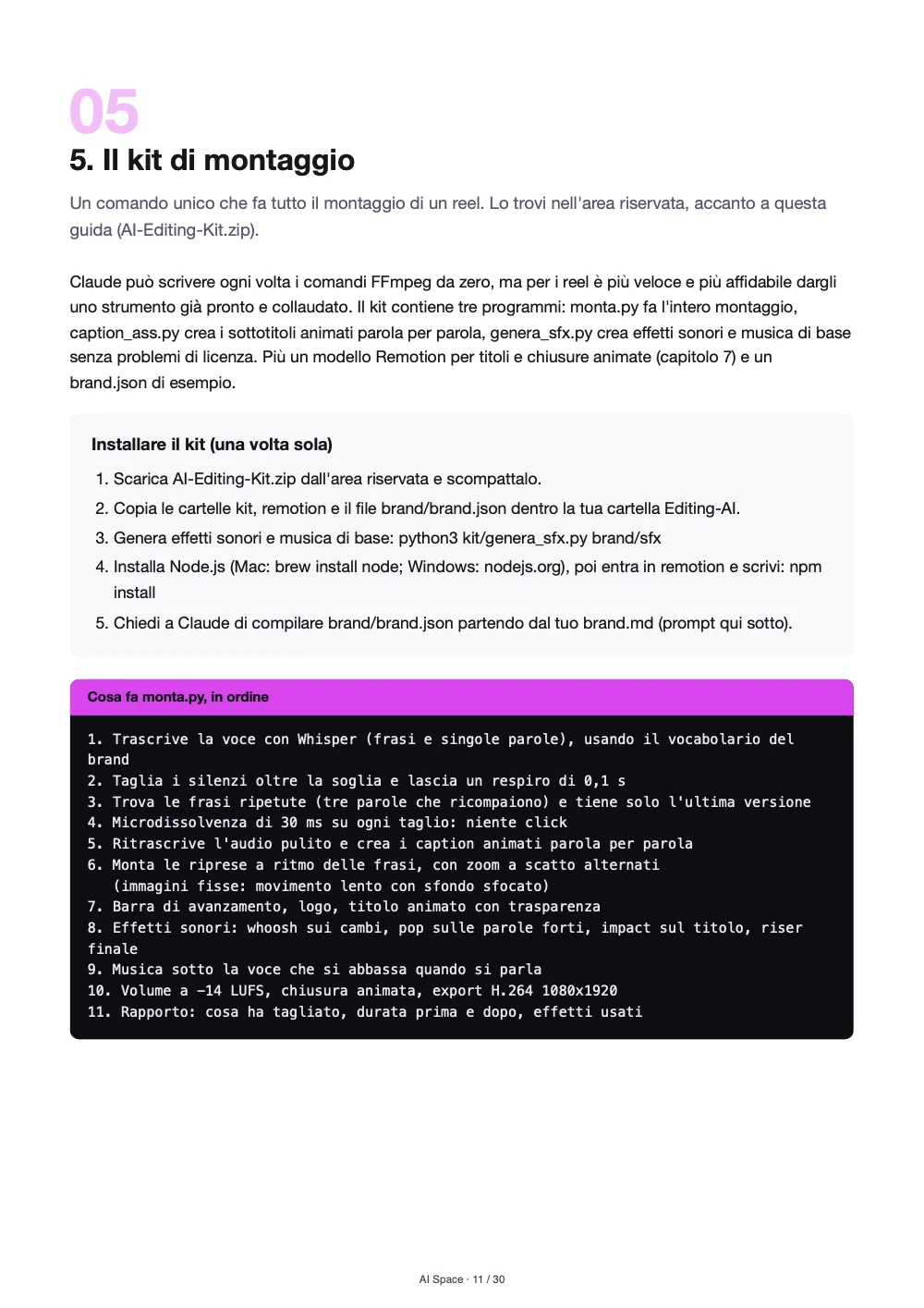
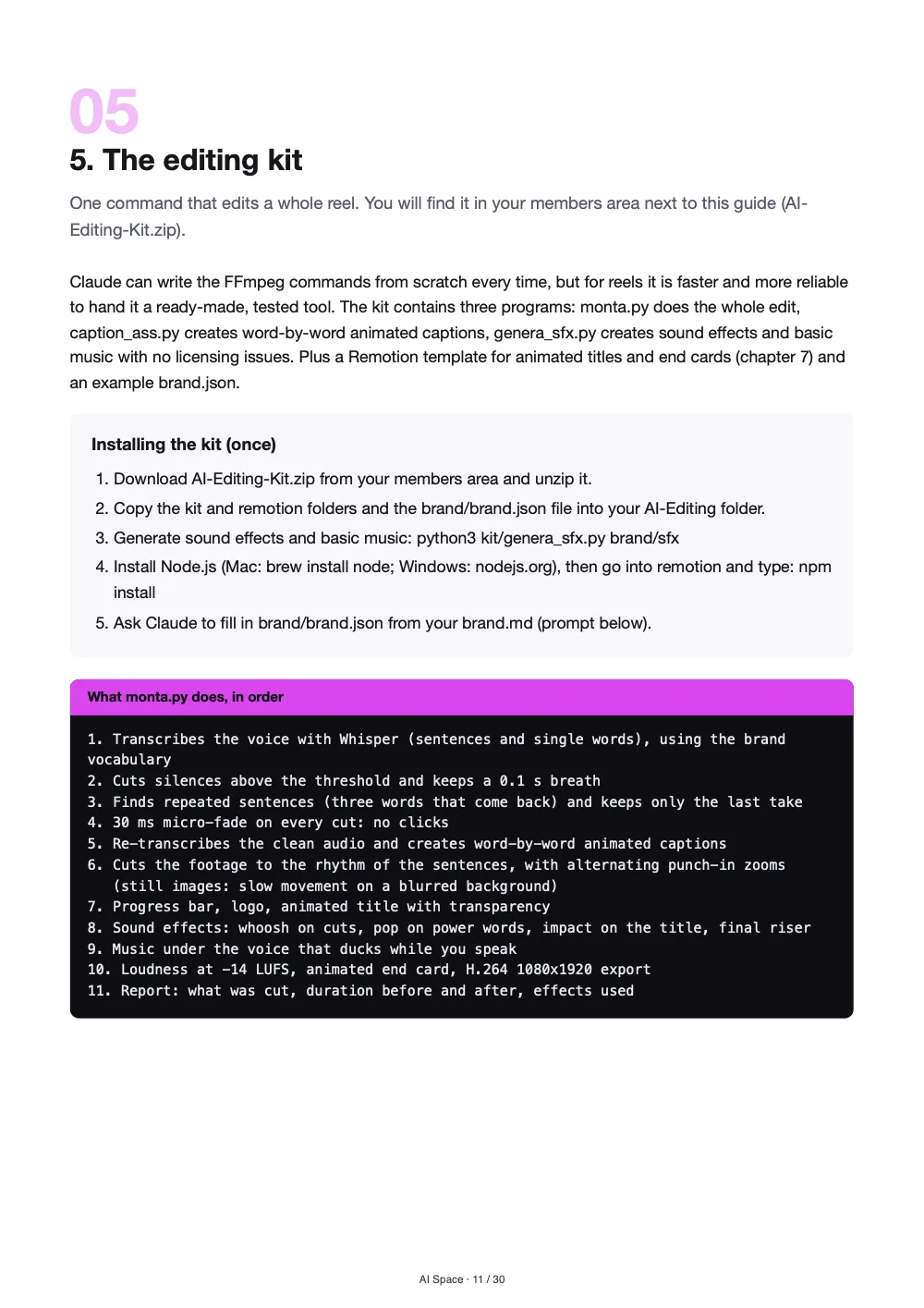
Il cuore del kit è monta.py: Claude lo lancia con il tuo brand.json e una voce o un video. Questi sono i passaggi che esegue, nell’ordine.The heart of the kit is monta.py: Claude runs it with your brand.json and a voice or video. These are the steps it performs, in order.

Gli strumenti di montaggio sono gratuiti e girano sul tuo computer: FFmpeg per il video, Whisper per la trascrizione.The editing tools are free and run on your computer: FFmpeg for video, Whisper for transcription.

01 · TrascriveTranscribes

Whisper scrive ogni parola con il suo tempo, aiutato dal [VOCABOLARIO] del brand.Whisper writes every word with its timing, helped by the brand [VOCABULARY].

02 · TagliaCuts

Toglie i silenzi oltre la [SOGLIA] e le frasi ricominciate, tenendo l’ultima versione.Removes silences beyond the [THRESHOLD] and restarted sentences, keeping the last take.

03 · MontaAssembles

Mette le [RIPRESE] sui cambi di frase, con zoom a scatto alternati.Places the [FOOTAGE] on sentence changes, with alternating punch-in zooms.

04 · SottotitolaSubtitles

Caption parola per parola nel [FONT] e nel [COLORE] del brand, con la parola detta evidenziata.Word-by-word captions in the brand [FONT] and [COLOUR], highlighting the spoken word.

05 · RifinisceFinishes

Aggiunge [LOGO], musica ed effetti sonori: whoosh sui cambi, pop sulle [PAROLE FORTI].Adds [LOGO], music and sound effects: whoosh on cuts, pop on [POWER WORDS].

06 · RiferisceReports

Scrive un rapporto: cosa ha tagliato, quante riprese, quanti effetti, durata finale.Writes a report: what it cut, how many shots, how many effects, final length.

Prompt veri, dal pacchettoReal prompts, from the pack

Leggili prima di comprare. Sono questi.Read them before you buy. These are the ones.

Quattro dei 34 prompt, come sono nel PDF. Le parti tra [PARENTESI QUADRE] le sostituisci con i tuoi file e i tuoi dati.Four of the 34 prompts, exactly as they are in the PDF. You replace the parts in [SQUARE BRACKETS] with your files and details.

01
Monta con il kitEdit with the kitPer ogni reel.For every reel.
Il kit di montaggioThe editing kit

Monta in/[NOME FILE] con il kit: python3 kit/monta.py, brand/brand.json, uscita in out/. [Se è solo voce: usa come riprese i file in/[RIPRESA 1], in/[RIPRESA 2] ...]
Quando ha finito, leggimi il rapporto, estrai 4 fotogrammi (inizio, due a metà, fine) e controlla che caption e logo non coprano nulla di importante. Se qualcosa non va, correggi brand.json e rifai.
Edit in/[FILE NAME] with the kit: python3 kit/monta.py, brand/brand.json, output to out/. [If it is voice only: use in/[FOOTAGE 1], in/[FOOTAGE 2] ... as footage]
When it finishes, read me the report, extract 4 frames (start, two in the middle, end) and check that captions and logo do not cover anything important. If something is off, fix brand.json and run it again.

02
Tre reel da un video lungoThree reels from a long videoHai un video di 10-60 minuti (live, webinar, intervista) e vuoi clip brevi.You have a 10-60 minute video (live, webinar, interview) and want short clips.
I prompt di produzioneProduction prompts

Trascrivi in/[NOME FILE]. Leggi la trascrizione e trova i 3 momenti migliori per un reel di 30-60 secondi: ognuno deve avere un inizio che aggancia nella prima frase, un'idea completa e una chiusura netta.
Per ogni momento proponimi: tempo di inizio e fine, titolo a schermo di massimo 6 parole, motivo per cui funziona.
Dopo il mio ok, monta i 3 reel in verticale 9:16 con sottotitoli e logo secondo brand.md e salvali come out/[NOME]-reel-1.mp4, -reel-2, -reel-3.
Transcribe in/[FILE NAME]. Read the transcript and find the 3 best moments for a 30-60 second reel: each must open with a hook in the first sentence, contain one complete idea and end cleanly.
For each moment propose: start and end time, an on-screen title of up to 6 words, and why it works.
After my OK, edit the 3 reels in vertical 9:16 with subtitles and logo per brand.md and save them as out/[NAME]-reel-1.mp4, -reel-2, -reel-3.

03
Controllo qualità prima della consegnaQuality check before deliverySempre, prima di pubblicare o consegnare.Always, before publishing or delivering.
Prompt di controllo e correzioneCheck and fix prompts

Fai un controllo qualità su tutti i file in out/ creati oggi. Per ognuno verifica: risoluzione e formato corretti, durata, loudness integrata (misurala con loudnorm in modalità analisi, print_format=json), presenza di audio su entrambi i canali, sottotitoli dentro i margini di sicurezza (estrai 5 fotogrammi), logo presente.
Dammi una tabella con OK o PROBLEMA per ogni voce e, per ogni problema, il comando che proponi per correggerlo. Non correggere finché non te lo dico.
Run a quality check on every file in out/ created today. For each one verify: correct resolution and format, duration, integrated loudness (measure it with loudnorm in analysis mode, print_format=json), audio on both channels, subtitles inside the safe margins (extract 5 frames), logo present.
Give me a table with OK or PROBLEM for each item and, for each problem, the command you propose to fix it. Do not fix anything until I say so.

04
Brand kit da un video di riferimentoBrand kit from a reference videoIl cliente ti manda un video di cui ama lo stile.The client sends a video whose style they love.
Il workflow per agenzieThe agency workflow

Il cliente [NOME CLIENTE] ama lo stile del video in clienti/[NOME CLIENTE]/riferimento.mp4. Estrai 8 fotogrammi e analizza: posizione, dimensione relativa, colori e maiuscolo dei sottotitoli; presenza e posizione del logo; ritmo dei tagli (misura la durata media delle inquadrature con il rilevamento cambi scena di ffmpeg).
Compila clienti/[NOME CLIENTE]/brand.md seguendo la struttura di brand/brand.md, scrivendo [DA CONFERMARE] dove non puoi dedurre il valore.
Client [CLIENT NAME] loves the style of the video in clients/[CLIENT NAME]/reference.mp4. Extract 8 frames and analyse: position, relative size, colours and capitalisation of the subtitles; presence and position of the logo; cutting pace (measure the average shot length with ffmpeg scene-change detection).
Fill in clients/[CLIENT NAME]/brand.md following the structure of brand/brand.md, writing [TO CONFIRM] where you cannot infer a value.

Si danno a Claude Code, che lavora sui file del tuo computer.You give them to Claude Code, which works on the files on your computer.

Dentro il PDFInside the PDF

30 pagine pulite, in italiano e in inglese.30 clean pages, in Italian and English.

Pagine vere del pacchetto. Tocca per ingrandire.Real pages from the pack. Tap to enlarge.

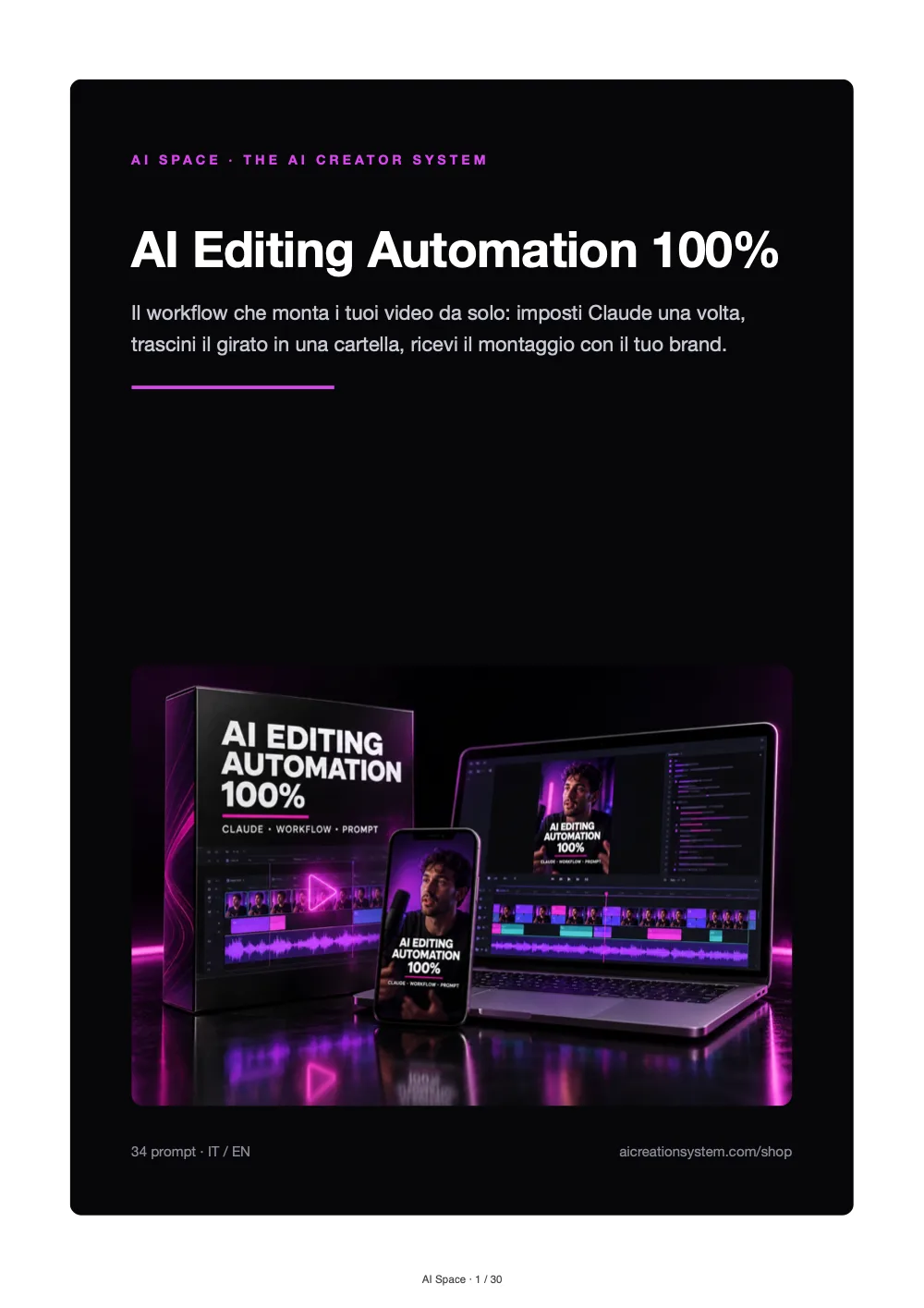
CopertinaCover
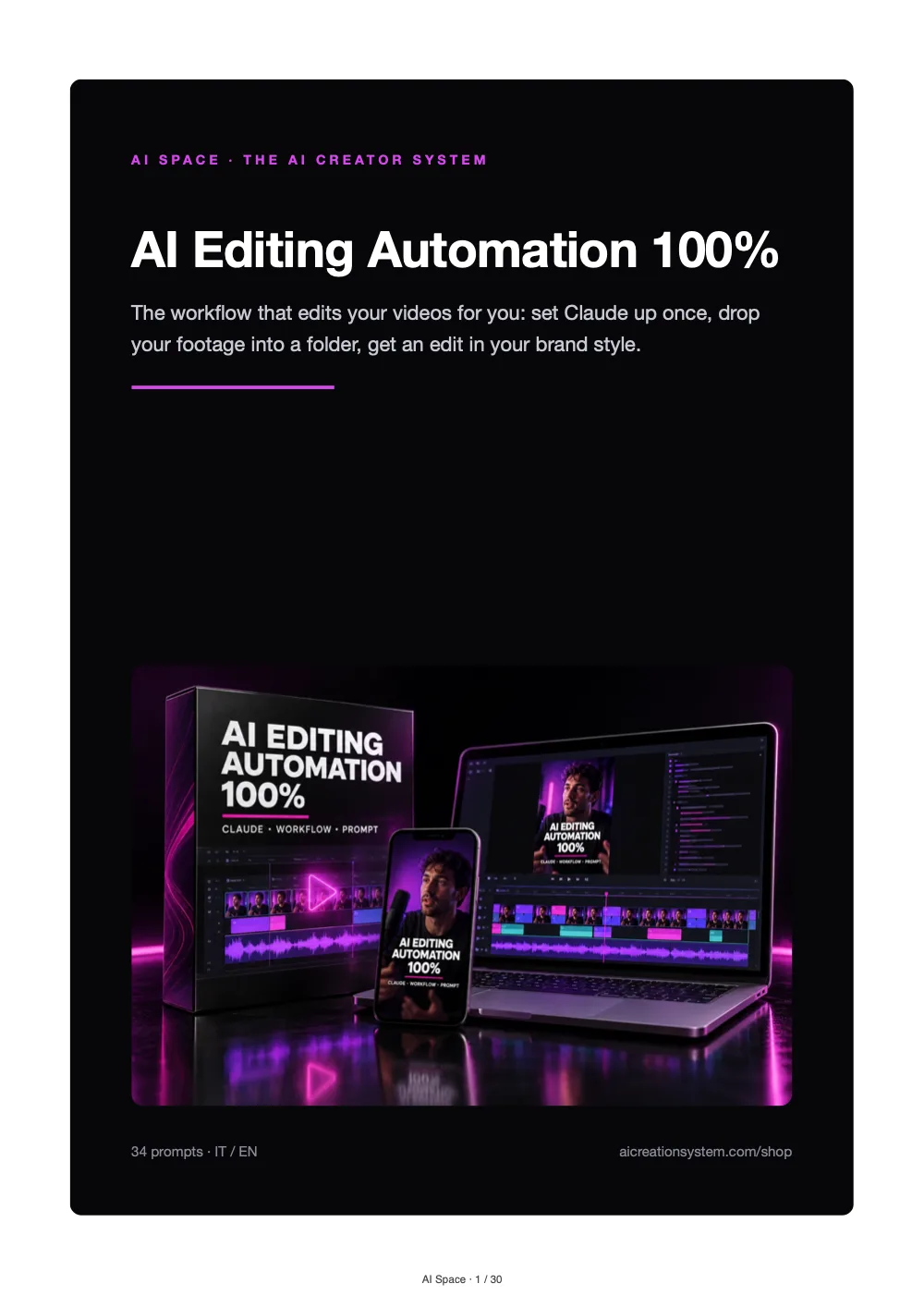
CopertinaCover
Il Brand KitThe Brand Kit
Il kit di montaggioThe editing kit
Grafiche animateMotion graphics
Tutto il contenutoThe full contents

I 34 prompt, uno per uno.The 34 prompts, one by one.

I prompt della guida, area per area. Il resto delle 30 pagine è setup, Brand Kit, CLAUDE.md, comandi e soluzioni ai problemi.The guide’s prompts, area by area. The rest of the 30 pages covers setup, Brand Kit, CLAUDE.md, commands and fixes.

01Il kit di montaggioThe editing kit2
  1. Compila il brand.jsonFill in brand.json
  2. Monta con il kitEdit with the kit
02Effetti d'impattoImpact effects2
  1. Rendi il reel più dinamicoMake the reel more dynamic
  2. Effetti sonori da una libreriaSound effects from a library
03Grafiche animate stile After EffectsAfter Effects-style motion graphics4
  1. Personalizza il titolo animatoCustomise the animated title
  2. Crea una nuova animazioneCreate a new animation
  3. Inserisci l'animazione nel reelInsert the animation into the reel
  4. Kinetic typography per un video senza voltoKinetic typography for a faceless video
04I prompt di produzioneProduction prompts14
  1. Il primo montaggio (test di stile)The first edit (style test)
  2. Monta tutta la cartellaEdit the whole folder
  3. Tre reel da un video lungoThree reels from a long video
  4. Titolo a schermo nei primi 3 secondiOn-screen title in the first 3 seconds
  5. Podcast in clipPodcast into clips
  6. Tutorial pulitoClean tutorial
  7. Video testimonianza clienteCustomer testimonial video
  8. Video prodotto per e-commerceE-commerce product video
  9. Attività locale (ristorante, palestra, studio)Local business (restaurant, gym, practice)
  10. Cambia lo stile dei sottotitoliChange the subtitle style
  11. Sottotitoli parola per parolaWord-by-word subtitles
  12. Traduci i sottotitoli in ingleseTranslate the subtitles
  13. Capitoli e descrizione per YouTubeYouTube chapters and description
  14. Fotogrammi per la copertinaFrames for the cover
05Prompt di controllo e correzioneCheck and fix prompts7
  1. Controllo qualità prima della consegnaQuality check before delivery
  2. Audio fuori sincronoAudio out of sync
  3. Tagli troppo bruschiCuts too abrupt
  4. Ho tagliato una frase importanteAn important sentence was cut
  5. Correggi parole sbagliate nei sottotitoliFix wrong words in subtitles
  6. Riduci il peso del fileReduce the file size
  7. Video girato in orizzontale per i reelHorizontal footage for reels
06Il workflow per agenzieThe agency workflow4
  1. Brand kit da un video di riferimentoBrand kit from a reference video
  2. Monta per un clienteEdit for a client
  3. Produzione settimanale di tutti i clientiWeekly production for all clients
  4. Revisione richiesta dal clienteClient revision request
07Checklist finaleFinal checklist1
  1. Il prompt di fine giornataThe end-of-day prompt
Cosa riceviWhat you get

Corso, guida e kit, voce per voce.Course, guide and kit, item by item.

Videocorso di 13 lezioni13-lesson video courseUna video lezione per ogni capitolo, in italiano e in inglese (voce AI): circa 26 minuti in cui vedi ogni passaggio sullo schermo.One video lesson per chapter, in Italian and English (AI voice): about 23 minutes where you see every step on screen.
inclusoincluded
Guida completa in PDF, 13 capitoliComplete PDF guide, 13 chapters30 pagine in italiano e in inglese: dal setup al workflow per agenzie, con i problemi comuni e la checklist finale.30 pages in Italian and English: from setup to the agency workflow, with common problems and the final checklist.
inclusoincluded
Setup passo passo per Mac e WindowsStep-by-step setup for Mac and WindowsI comandi da copiare per FFmpeg, Whisper e auto-editor, con una verifica finale.Commands to copy for FFmpeg, Whisper and auto-editor, with a final check.
inclusoincluded
Il file CLAUDE.md pronto da copiareThe ready-to-copy CLAUDE.md fileLa procedura di montaggio che Claude segue ogni volta.The editing procedure Claude follows every time.
inclusoincluded
Il kit di montaggioThe editing kitmonta.py (montaggio completo), caption_ass.py (sottotitoli animati), genera_sfx.py (effetti sonori), un brand.json di esempio.monta.py (full edit), caption_ass.py (animated subtitles), genera_sfx.py (sound effects), an example brand.json.
inclusoincluded
Modello Remotion per grafiche animateRemotion template for motion graphicsTitoli, sottopancia e chiusure in stile After Effects, da personalizzare con i prompt della guida.After Effects-style titles, lower thirds and end cards, customised with the guide’s prompts.
inclusoincluded
34 prompt in 7 aree34 prompts across 7 areasIl kit di montaggio (2), Effetti d'impatto (2), Grafiche animate stile After Effects (4), I prompt di produzione (14), Prompt di controllo e correzione (7), Il workflow per agenzie (4), Checklist finale (1).The editing kit (2), Impact effects (2), After Effects-style motion graphics (4), Production prompts (14), Check and fix prompts (7), The agency workflow (4), Final checklist (1).
inclusoincluded
Accesso dall’area riservataAccess from the members areaLezioni, guida e kit appena completi la registrazione dall’email che ricevi dopo il pagamento.Lessons, guide and kit as soon as you complete registration from the email you get after payment.
inclusoincluded
13 video lezioni, guida, kit e 34 prompt13 video lessons, guide, kit and 34 prompts
Pagamento unico · accesso a vita · nessun abbonamentoOne-time payment · lifetime access · no subscription
50 €29,97 €
Pagamento unicoOne-time paymentAccesso a vitaLifetime accessPagamento sicuro con StripeSecure payment with Stripe
Per chi èWho it’s for

Per chi pubblica video ogni settimana.For anyone posting videos every week.

È per te se…It’s for you if…

  • Sei un creator o un professionista che pubblica video ogni settimanaYou’re a creator or professional who posts videos every week
  • Hai un’azienda o un’attività locale che fa contenuti in casaYou run a company or local business that makes content in-house
  • Sei un’agenzia o un freelance che monta per più clientiYou’re an agency or freelancer editing for several clients
  • Oggi paghi un montatore per lavoro ripetitivoYou currently pay an editor for repetitive work

Non fa per te se…It’s not for you if…

  • Non hai un abbonamento Claude Pro o Max: serve per usare Claude CodeYou don’t have a Claude Pro or Max subscription: it’s needed to use Claude Code
  • Cerchi un’app con un pulsante: qui installi strumenti dal terminale, con i comandi già scritti nella guidaYou want a one-button app: here you install tools from the terminal, with the commands already written in the guide
  • Devi montare un cortometraggio o uno spot molto creativo: lì il gusto di un montatore resta insostituibileYou need to edit a short film or a highly creative ad: there an editor’s taste is irreplaceable
Come funzionaHow it works

Dall’acquisto al primo video montato.From purchase to your first edited video.

1

Acquisti nello shopCheck out in the shop

Pagamento unico con carta, Apple Pay o Google Pay.One-time payment by card, Apple Pay or Google Pay.

2

Completi la registrazioneComplete your registration

Ti arriva un’email: scegli una password o ricevi un codice temporaneo.You get an email: choose a password or receive a temporary code.

3

Segui le lezioni e imposti una voltaFollow the lessons and set up once

Lezioni, guida e kit nell’area riservata; installi gli strumenti con i comandi della guida e compili il Brand Kit.Lessons, guide and kit in the members area; install the tools with the guide’s commands and fill in the Brand Kit.

4

Copi, sostituisci, incolliCopy, replace, paste

Metti il video nella cartella in/ e usa il prompt «Monta con il kit».Drop the video into the in/ folder and use the “Edit with the kit” prompt.

RecensioniReviews

Solo recensioni di chi ha compratoOnly reviews from real buyers

Qui trovi solo recensioni vereOnly real reviews appear here

Le recensioni le lasciano i clienti dall’area riservata dopo l’acquisto, e compaiono qui solo dopo la verifica dell’ordine. Non scriviamo testimonianze a mano e non mostriamo voti che non esistono.Reviews are left by customers from the members area after purchase, and appear here only once the order is verified. We do not write testimonials by hand or show ratings that do not exist.

Hai già acquistato? Puoi lasciare la tua dall’area riservata.Already bought? You can leave yours from the members area.
La lezione 5 sul portatileCreato con AIMade with AI
La lezione 5 sul portatileLesson 5 on the laptop
Chi c’è dietroWho is behind it

Fa parte di The AI Creator System.Part of The AI Creator System.

Non un’app che ti chiude nel suo stile: regole scritte da te, strumenti standard e gratuiti per il montaggio, e ogni correzione che fai una volta resta nel Brand Kit.Not an app that locks you into its style: rules you write, standard free editing tools, and every correction you make once stays in the Brand Kit.

Dietro c’è un’azienda vera, LA BUSINESS AGENCY LLC: pagamenti con Stripe, condizioni di vendita, rimborsi e recesso consultabili prima di comprare.Behind it is a real company, LA BUSINESS AGENCY LLC: payments through Stripe, sales terms, refunds and withdrawal readable before you buy.

Pagamento sicuroSecure paymentCarta, Apple Pay e Google Pay con Stripe: i dati della carta non passano da noi.Card, Apple Pay and Google Pay through Stripe: card data never touches us.
Accesso dall’area riservataAccess from the members areaDopo il pagamento ricevi un’email per completare la registrazione; poi trovi tutto nella sezione Corsi.After payment you get an email to complete your registration; then everything is in the Courses section.
Recesso e rimborsi chiariClear withdrawal and refundsValgono la politica sui rimborsi e il modulo di recesso.Our refund policy and withdrawal form apply.
Azienda realeA real companyLA BUSINESS AGENCY LLC, 1309 Coffeen Avenue STE 1200, Sheridan, Wyoming.
∞

Paghi una volta. Corso, guida e kit restano tuoi.Pay once. The course, guide and kit stay yours.

Nessun abbonamento al nostro prodotto: un pagamento e trovi lezioni, guida e kit nella tua area riservata, da riscaricare quando ti servono.No subscription to our product: one payment and the lessons, guide and kit are in your members area, to download again whenever you need them.
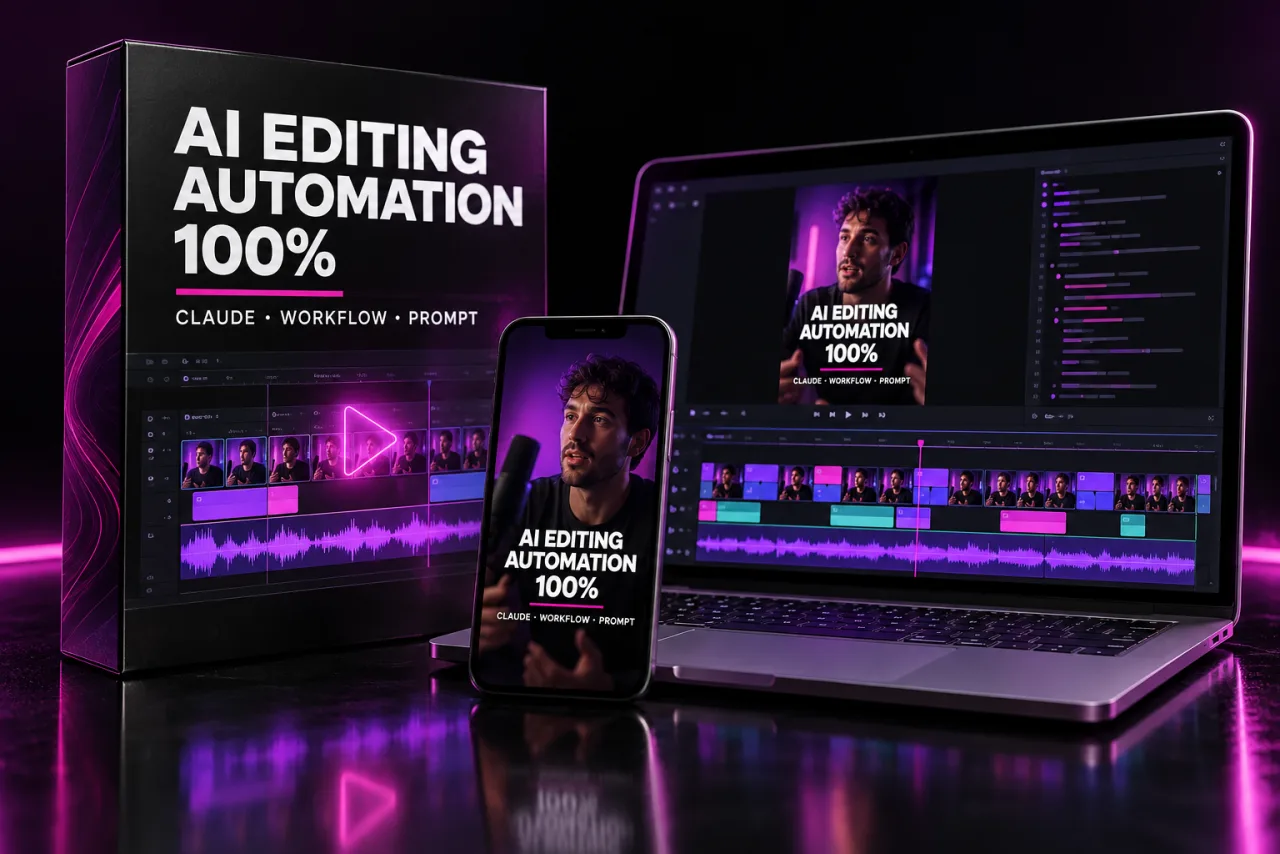
Accesso a vitaLifetime accessIT + ENCorso + guida + kitCourse + guide + kit
L’offertaThe offer

Il tuo montatore automatico, con un solo pagamento.Your automatic editor, with one payment.

AI Editing Automation 100%Creato con AIMade with AI
AI Editing Automation 100%

AI Editing Automation 100%

Il videocorso di 13 lezioni, la guida passo passo, il file di regole per Claude, il kit di montaggio e 34 prompt per produrre, controllare e consegnare.The 13-lesson video course, the step-by-step guide, the rules file for Claude, the editing kit and 34 prompts to produce, check and deliver.

  • Videocorso: 13 lezioniVideo course: 13 lessons
  • Guida PDF di 13 capitoli13-chapter PDF guide
  • Setup per Mac e WindowsMac and Windows setup
  • File CLAUDE.md prontoReady CLAUDE.md file
  • Kit: monta.py, sottotitoli, effettiKit: monta.py, subtitles, effects
  • 34 prompt di produzione e controllo34 production and check prompts
  • IT + EN, accesso a vitaIT + EN, lifetime access
50 €29,97 €

Pagamento unico · accesso a vita · nessun abbonamentoOne-time payment · lifetime access · no subscription

Voglio il corso completoGet the full course
Pagamento sicuroSecure payment
Pagamento unicoOne-time paymentAccesso a vitaLifetime accessPagamento sicuro con StripeSecure payment with Stripe
Domande frequentiFAQ

Le risposte prima di comprareAnswers before you buy

Serve saper programmare?Do I need to know how to code?
No. Copi i comandi di installazione dalla guida e il file di regole già pronto. Poi parli con Claude in italiano o in inglese: i comandi tecnici li scrive lui.No. You copy the install commands from the guide and the ready-made rules file. Then you talk to Claude in Italian or English: it writes the technical commands.
Cosa mi serve per usarlo?What do I need to use it?
Un Mac o un PC Windows e un abbonamento Claude Pro o Max per usare Claude Code. FFmpeg, Whisper e auto-editor sono gratuiti e la guida spiega come installarli.A Mac or Windows PC and a Claude Pro or Max subscription to use Claude Code. FFmpeg, Whisper and auto-editor are free and the guide explains how to install them.
Il video in questa pagina è montato davvero dal kit?Was the video on this page really edited by the kit?
Sì: abbiamo lanciato il monta.py del kit su una voce sintetica di esempio, con pause e una frase ricominciata, e su riprese AI nostre. I numeri e il rapporto sono quelli stampati dal kit. Nell’uso normale è Claude a lanciare lo stesso comando per te.Yes: we ran the kit’s monta.py on a sample synthetic voice, with pauses and one restarted sentence, and on our own AI footage. The numbers and the report are the ones the kit printed. In normal use Claude runs the same command for you.
Il risultato sarà davvero nel mio stile?Will the result really match my style?
Lo stile lo decide il tuo Brand Kit: font, colori, posizione dei sottotitoli, logo, musica. Il primo prompt ti fa vedere un’anteprima, così correggi una volta e resta per i video successivi.Your Brand Kit sets the style: fonts, colours, subtitle position, logo, music. The first prompt shows you a preview, so you correct once and it carries over to the next videos.
Funziona se monto per più clienti?Does it work if I edit for several clients?
Sì: ogni cliente ha la sua cartella e il suo Brand Kit, e c’è un capitolo dedicato alle agenzie con nomi dei file, consegne e revisioni.Yes: each client has its own folder and Brand Kit, and there’s a chapter for agencies covering file names, deliveries and revisions.
Sostituisce del tutto il montaggio creativo?Does it fully replace creative editing?
No. Automatizza il lavoro ripetitivo dei video parlati e dei contenuti social. Per un cortometraggio o uno spot molto creativo serve ancora il gusto di un montatore.No. It automates the repetitive work of talking-head videos and social content. A short film or a highly creative ad still needs an editor’s taste.
È solo un PDF?Is it just a PDF?
No, è un corso: 13 video lezioni (una per capitolo) in cui vedi ogni passaggio sullo schermo, più la guida in PDF da tenere come manuale, il kit di montaggio e 34 prompt.No, it’s a course: 13 video lessons (one per chapter) where you see every step on screen, plus the PDF guide to keep as a manual, the editing kit and 34 prompts.
Funziona con ChatGPT o altri assistenti?Does it work with ChatGPT or other assistants?
Il sistema è costruito su Claude Code, che lavora sui file del tuo computer. Il kit si può anche lanciare a mano dal terminale, come spiega la guida.The system is built on Claude Code, which works on the files on your computer. The kit can also be run by hand from the terminal, as the guide explains.
Cosa ricevo esattamente e come?What exactly do I get, and how?
Il videocorso di 13 lezioni, la guida in PDF (30 pagine, italiano e inglese) e lo zip del kit di montaggio. Dopo il pagamento ricevi un’email per completare la registrazione (password o codice temporaneo) e trovi tutto nella tua area riservata.The 13-lesson video course, the PDF guide (30 pages, Italian and English) and the editing kit zip. After payment you get an email to complete registration (password or temporary code) and find everything in your members area.
Posso chiedere un rimborso?Can I get a refund?
Valgono la politica sui rimborsi e il modulo di recesso del sito, che puoi leggere prima di comprare.Our refund policy and withdrawal form apply; you can read them before buying.
Ultimo passoLast step

Il prossimo video lo monta Claude.Your next video gets edited by Claude.

Imposti il sistema una volta, e da quel momento il lavoro ripetitivo del montaggio non è più tuo: a te restano le riprese e il controllo finale.Set the system up once, and from then on the repetitive editing work is no longer yours: you keep the shooting and the final check.

13video lezionivideo lessons
13capitolichapters
34promptprompts
∞accesso, un solo pagamentoaccess, one payment
50 €29,97 €
Pagamento unico · accesso a vita · nessun abbonamentoOne-time payment · lifetime access · no subscription
Pagamento unicoOne-time paymentAccesso a vitaLifetime accessPagamento sicuro con StripeSecure payment with Stripe
Pagamento sicuroSecure payment
AI Editing Automation 100%29,97 € · accesso a vitalifetime access
Voglio il corsoGet the course