Manuale IT + EN · ebook ENManual IT + EN · ebook EN

Smetti di collezionare strumenti AI. Inizia a sceglierli.Stop collecting AI tools. Start choosing them.

Dal compito allo strumento: otto fasi per creare e vendere un prodotto digitale, con gli strumenti AI di ciascuna e un esercizio pratico.From task to tool: eight phases to create and sell a digital product, with the AI tools for each one and a hands-on exercise.

14,97 €
Voglio il toolkitGet the toolkit Pagamento unico · accesso a vita · nessun abbonamentoOne-time payment · lifetime access · no subscription
8 fasi con esercizi8 phases with exercises~40 strumenti citati~40 tools named60 pagine di ebook60-page ebook
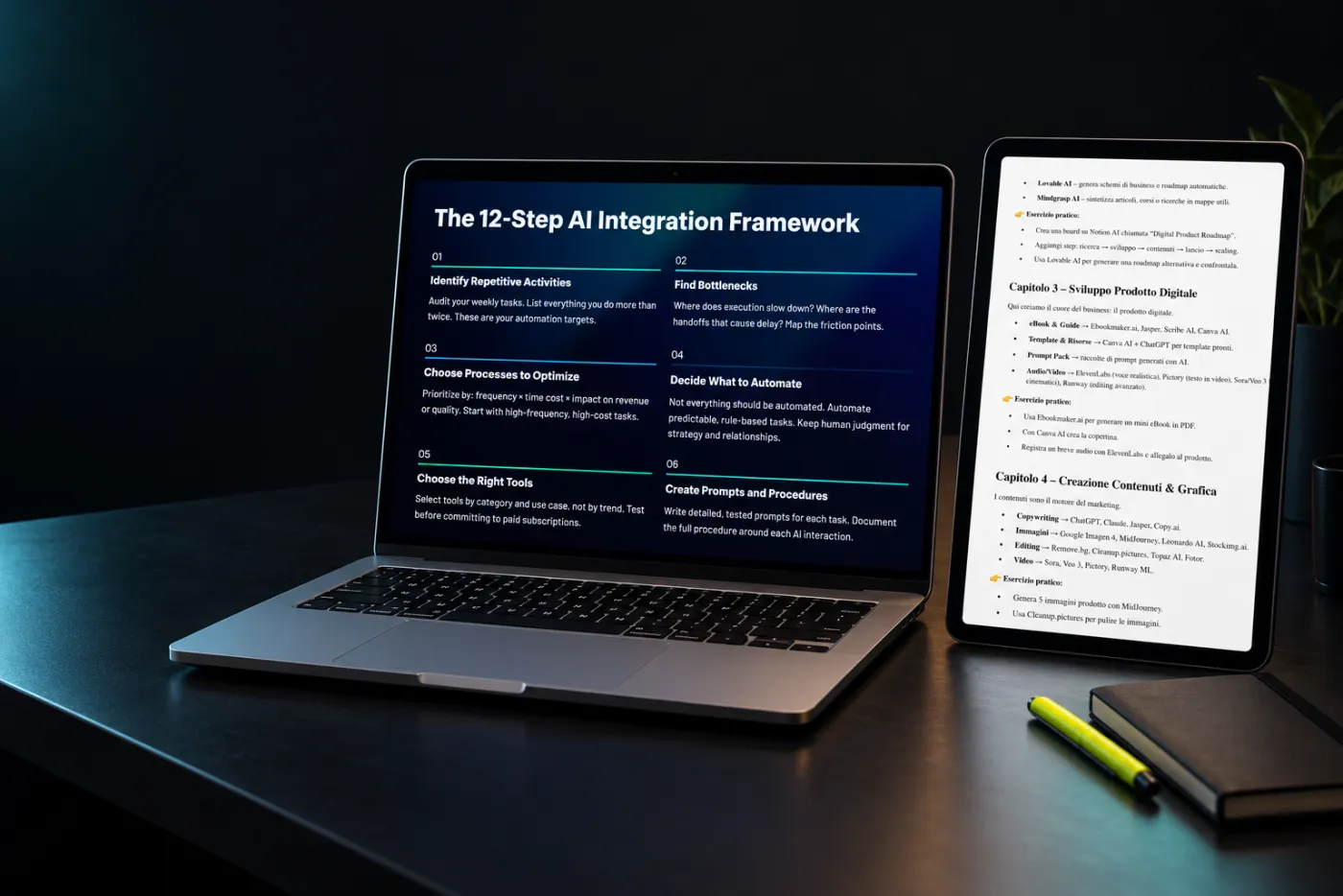
Il manuale e l’ebook del toolkit su tablet e portatile: pagine vere
Immagine creata con AI · sugli schermi, una pagina vera del manuale e una dell’ebookImage made with AI · on screen, a real manual page and a real ebook page
Toolkit completoFull toolkit
14,97 €

Pagamento unico · accesso a vita · nessun abbonamentoOne-time payment · lifetime access · no subscription

Voglio il toolkitGet the toolkit
Pagamento sicuroSecure payment
segnalibri — esempio illustrativobookmarks — illustrative example
Salvi tuttoYou save everythingOgni strumento di cui senti parlare finisce in una cartella.Every tool you hear about ends up in a folder.
accumulohoarding
Ne provi tre, non ne adotti nessunoYou try three, adopt noneE il lavoro resta fermo.And the work stands still.
a casorandom
Quando serve, non lo troviWhen you need it, you can’t find itRicominci a cercare da zero.You start searching from scratch.
tempo persotime lost
Abbonamenti inutiliUseless subscriptionsPaghi strumenti che non entrano nel tuo lavoro.You pay for tools that never enter your work.
costicosts
Il problemaThe problem

Una cartella piena di segnalibri. Nessun flusso di lavoro.A folder full of bookmarks. No workflow.

Ogni settimana escono strumenti nuovi e la tentazione è provarli tutti. Il risultato è una cartella di segnalibri e nessun flusso di lavoro.New tools come out every week and the temptation is to try them all. The result is a folder of bookmarks and no workflow.

Questo toolkit fa il contrario: parte dalla fase in cui sei e ti dice quali strumenti servono lì.This toolkit does the opposite: it starts from the phase you’re in and tells you which tools belong there.

Serate a leggere recensioniEvenings reading reviewsAbbonamenti doppiDuplicate subscriptionsProgetti mai lanciatiProjects never launchedStrumenti scelti per modaTools picked by hype
Il metodoThe method

Parti dal compito, non dal nome dello strumento. Una fase alla volta.Start from the task, not the tool’s name. One phase at a time.

8 fasiphases8 esercizi praticihands-on exercises10 passi nella checklist finalesteps in the final checklist
Il manuale, fase per faseThe manual, phase by phase

Otto fasi. Strumenti ed esercizio di ognuna.Eight phases. The tools and exercise for each.

Tocca una fase: trovi gli strumenti che il manuale indica, l’esercizio pratico e il pezzo di pagina del PDF da cui vengono. Gli esercizi sono riportati come nel manuale, che cita le tendenze 2025: aggiorna l’anno quando li fai.Tap a phase: you’ll see the tools the manual names, the hands-on exercise and the slice of the PDF page they come from. Exercises are quoted as in the manual, which mentions 2025 trends: update the year when you do them.

AI Business Toolkit · manualeAI Business Toolkit · manual
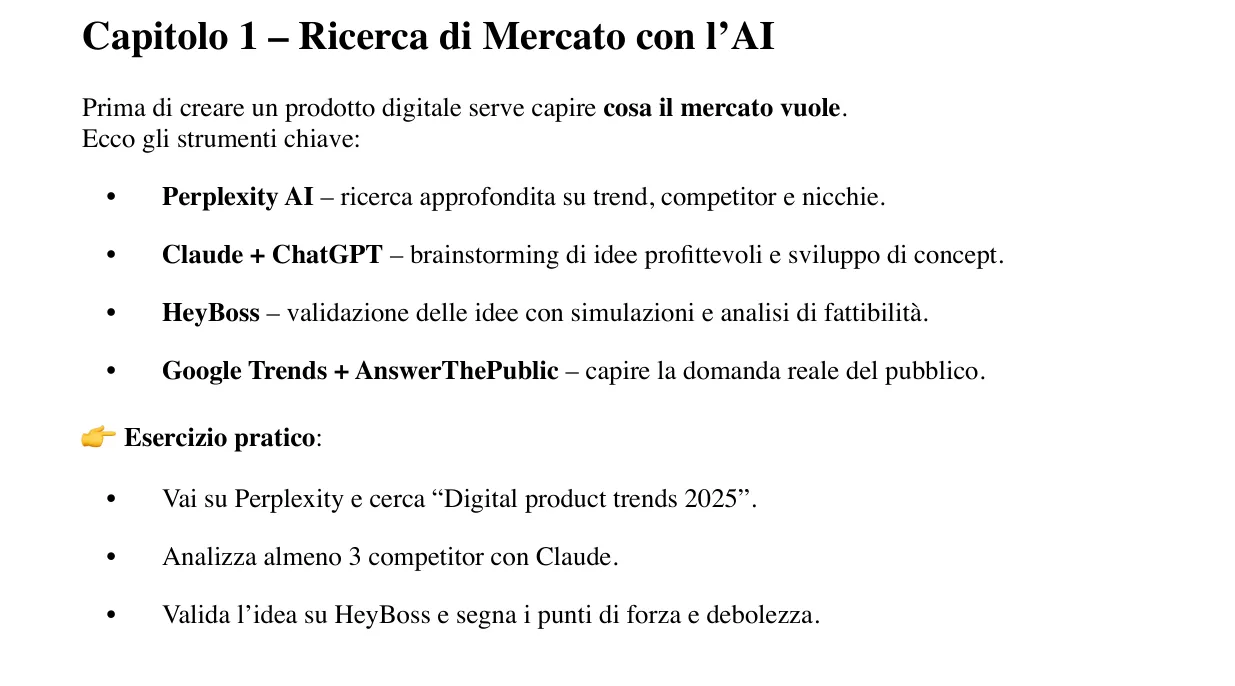
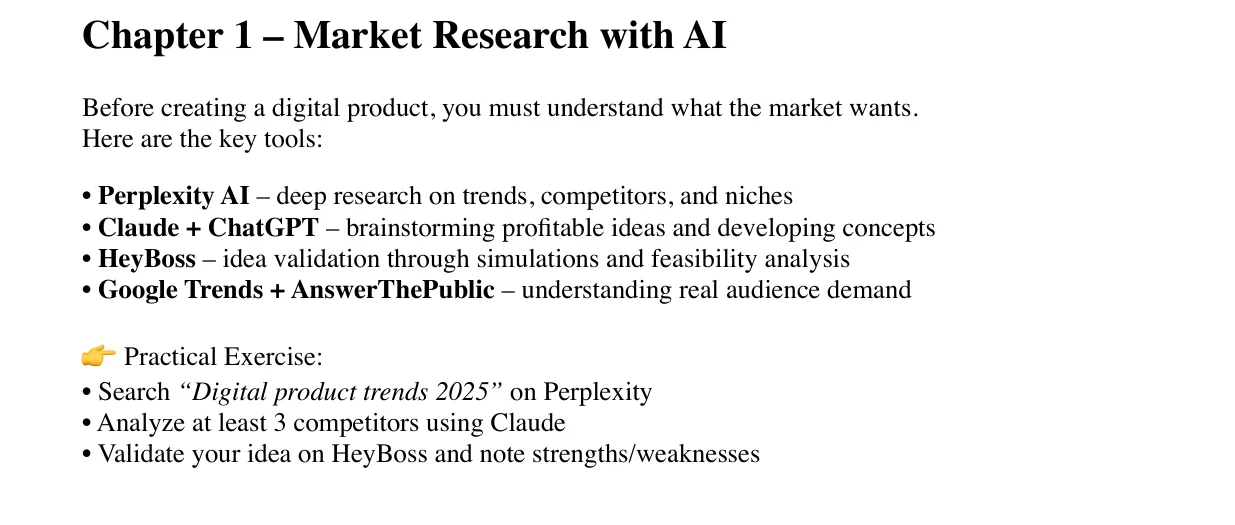
Il capitolo 1 nel manualeChapter 1 in the manual

Ricerca di mercatoMarket research

Prima di creare un prodotto digitale serve capire cosa il mercato vuole.Before creating a digital product, you must understand what the market wants.

  • Tra gli strumenti: Perplexity, Claude, ChatGPT, HeyBoss, Google Trends, AnswerThePublic.Tools include: Perplexity, Claude, ChatGPT, HeyBoss, Google Trends, AnswerThePublic.
  • Esercizio 1. Cerca «Digital product trends 2025» su PerplexityExercise 1. Search “Digital product trends 2025” on Perplexity
  • Esercizio 2. Analizza almeno 3 competitor con ClaudeExercise 2. Analyze at least 3 competitors using Claude
  • Esercizio 3. Valida l’idea su HeyBoss e segna punti di forza e debolezzaExercise 3. Validate your idea on HeyBoss and note strengths/weaknesses
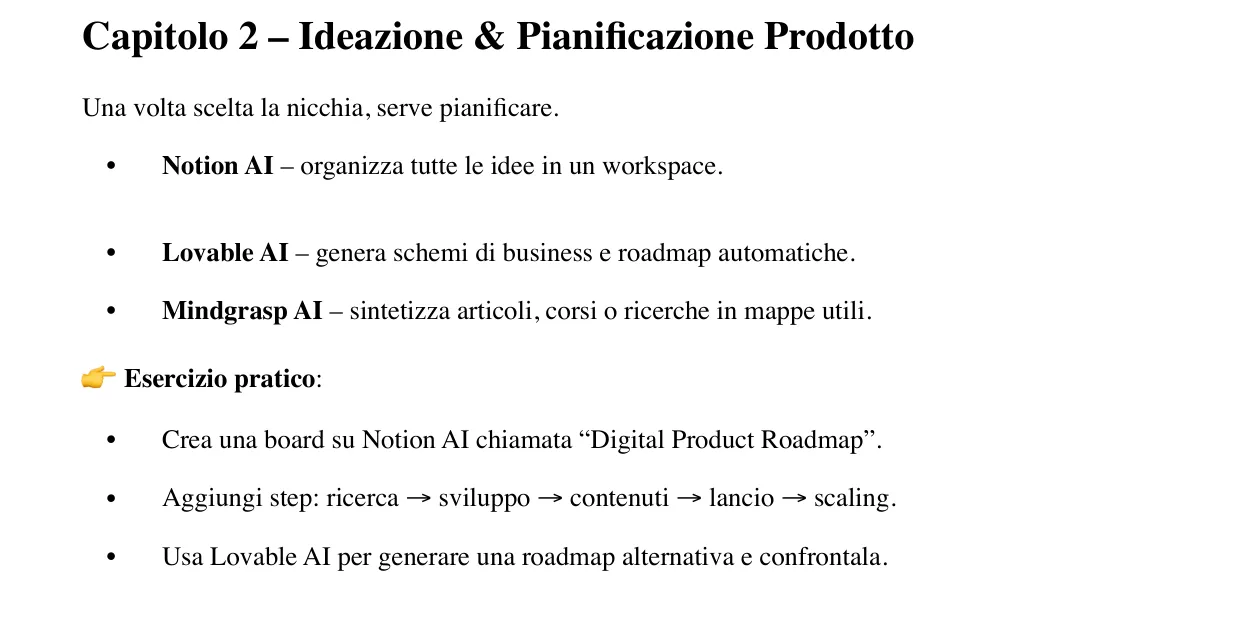
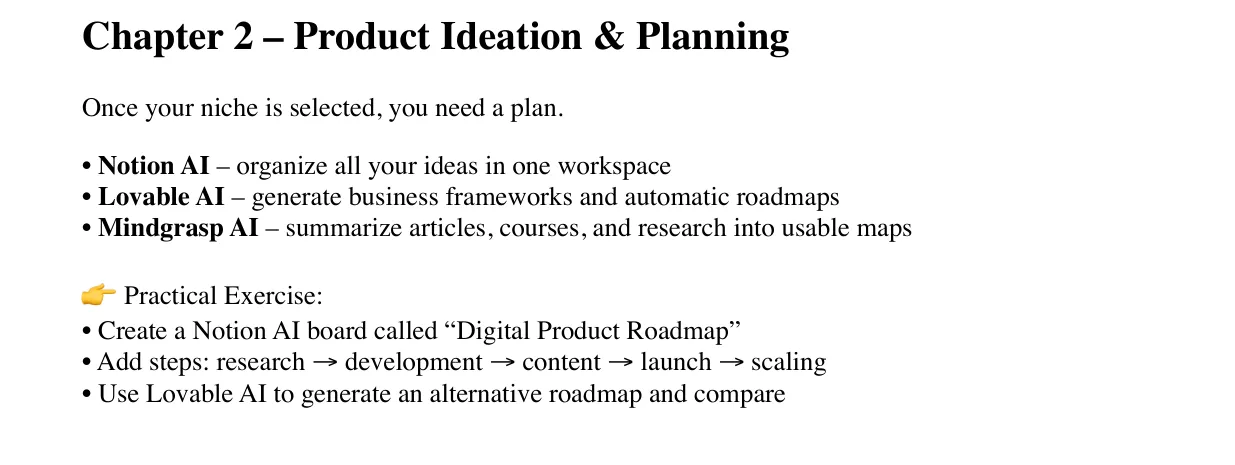
Il capitolo 2 nel manualeChapter 2 in the manual

Ideazione e pianificazioneIdeation and planning

Una volta scelta la nicchia, serve pianificare.Once your niche is selected, you need a plan.

  • Tra gli strumenti: Notion AI, Lovable, Mindgrasp.Tools include: Notion AI, Lovable, Mindgrasp.
  • Esercizio 1. Crea su Notion AI una board «Digital Product Roadmap»Exercise 1. Create a Notion AI board called “Digital Product Roadmap”
  • Esercizio 2. Aggiungi i passi: ricerca → sviluppo → contenuti → lancio → scalingExercise 2. Add steps: research → development → content → launch → scaling
  • Esercizio 3. Genera con Lovable AI una roadmap alternativa e confrontalaExercise 3. Use Lovable AI to generate an alternative roadmap and compare
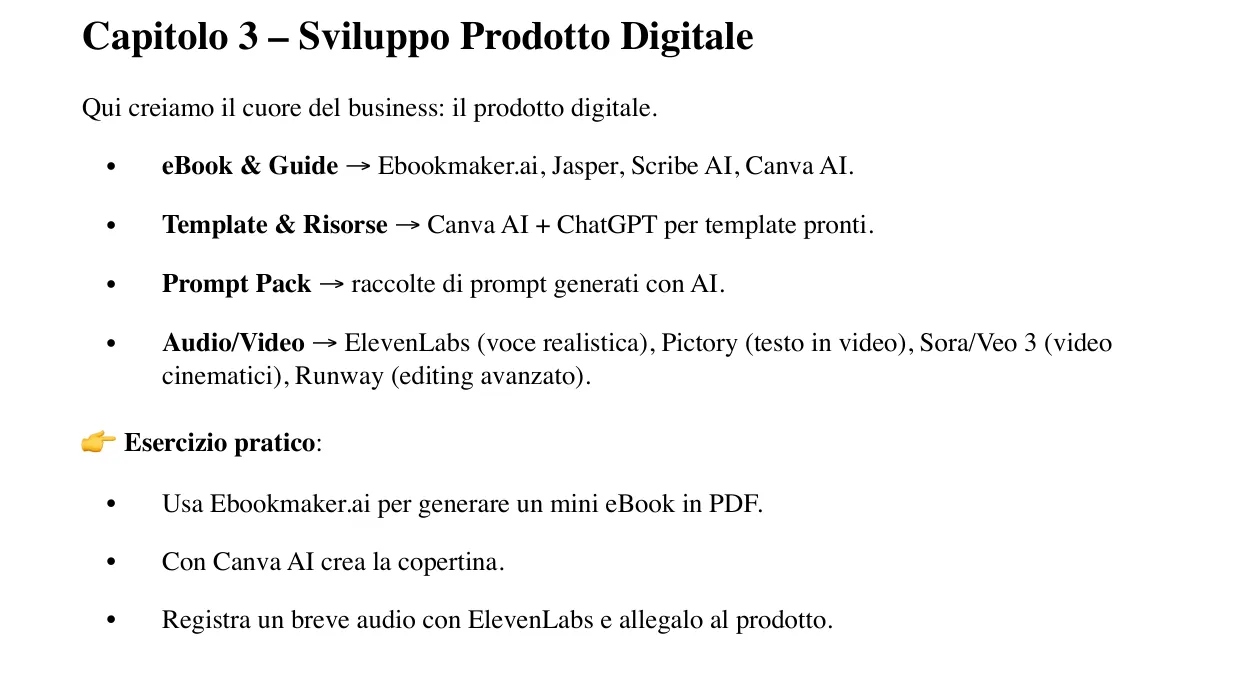
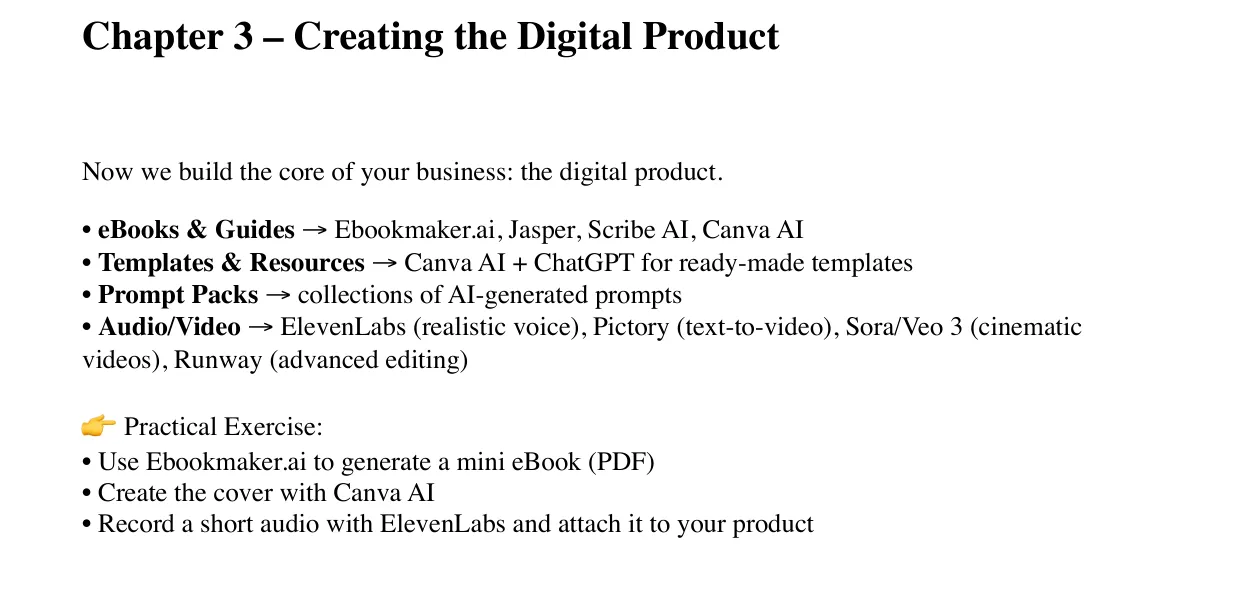
Il capitolo 3 nel manualeChapter 3 in the manual

Sviluppo del prodottoProduct development

Qui si crea il cuore del business: il prodotto digitale.Now you build the core of your business: the digital product.

  • Tra gli strumenti: Ebookmaker.ai, Canva AI, ElevenLabs, Pictory, Runway.Tools include: Ebookmaker.ai, Canva AI, ElevenLabs, Pictory, Runway.
  • Esercizio 1. Genera con Ebookmaker.ai un mini eBook in PDFExercise 1. Use Ebookmaker.ai to generate a mini eBook (PDF)
  • Esercizio 2. Crea la copertina con Canva AIExercise 2. Create the cover with Canva AI
  • Esercizio 3. Registra un breve audio con ElevenLabs e allegalo al prodottoExercise 3. Record a short audio with ElevenLabs and attach it to your product
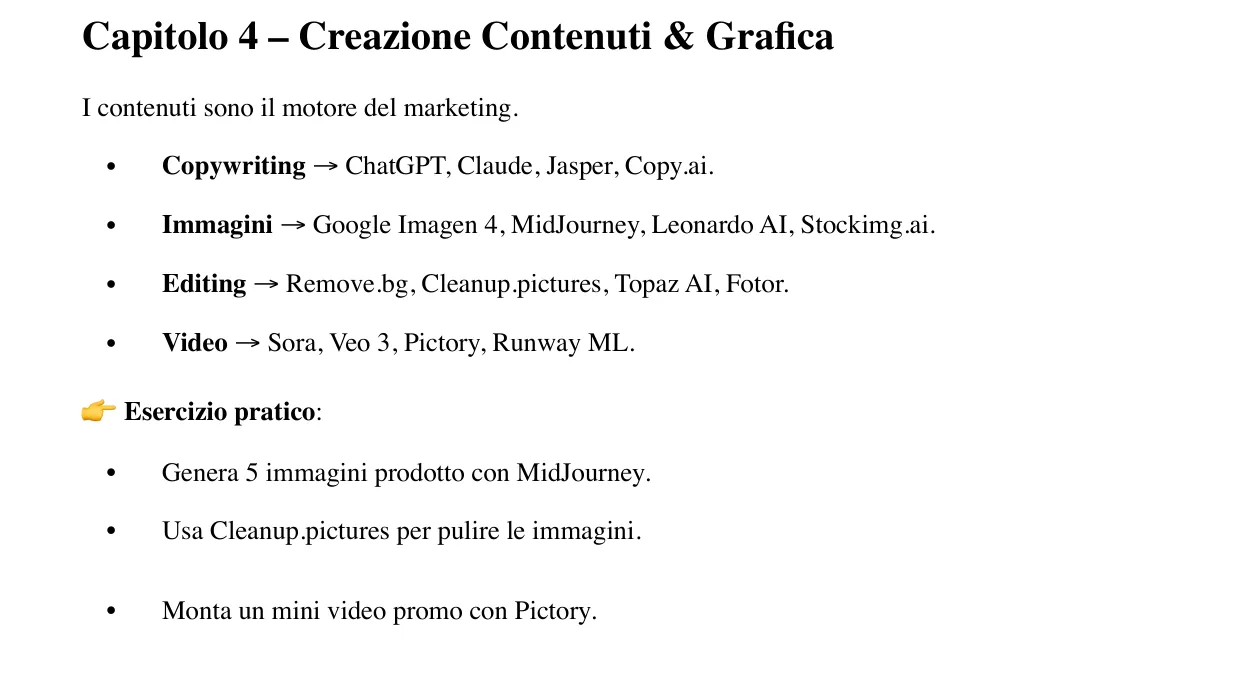
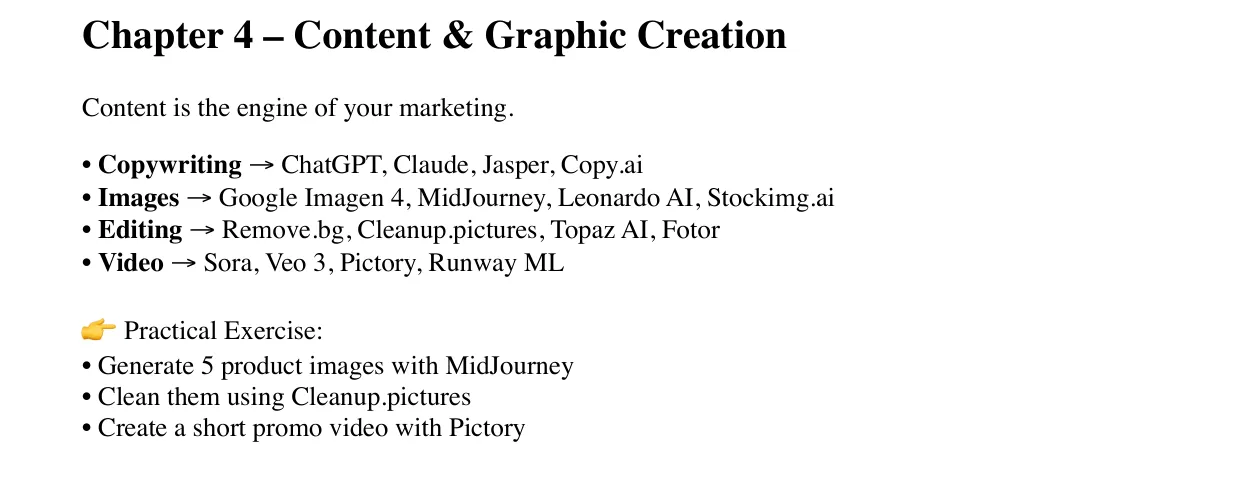
Il capitolo 4 nel manualeChapter 4 in the manual

Contenuti e graficaContent and graphics

I contenuti sono il motore del marketing.Content is the engine of your marketing.

  • Tra gli strumenti: ChatGPT, Midjourney, Leonardo AI, Remove.bg, Topaz AI.Tools include: ChatGPT, Midjourney, Leonardo AI, Remove.bg, Topaz AI.
  • Esercizio 1. Genera 5 immagini prodotto con MidJourneyExercise 1. Generate 5 product images with MidJourney
  • Esercizio 2. Puliscile con Cleanup.picturesExercise 2. Clean them using Cleanup.pictures
  • Esercizio 3. Monta un mini video promo con PictoryExercise 3. Create a short promo video with Pictory
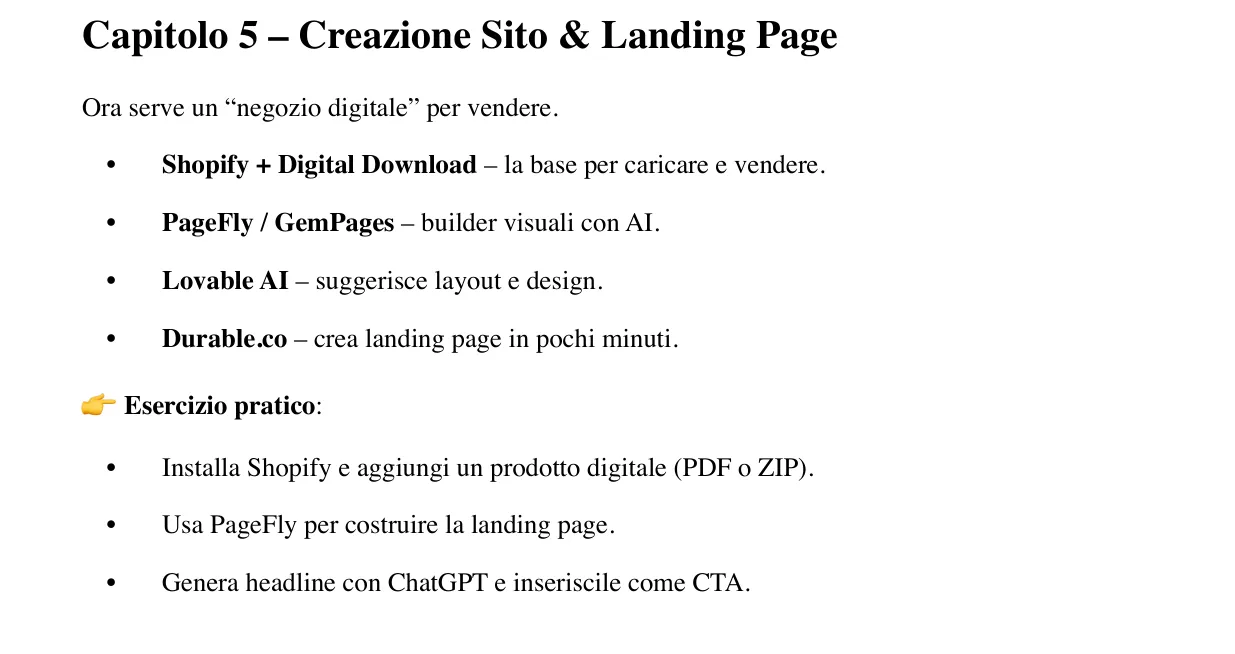
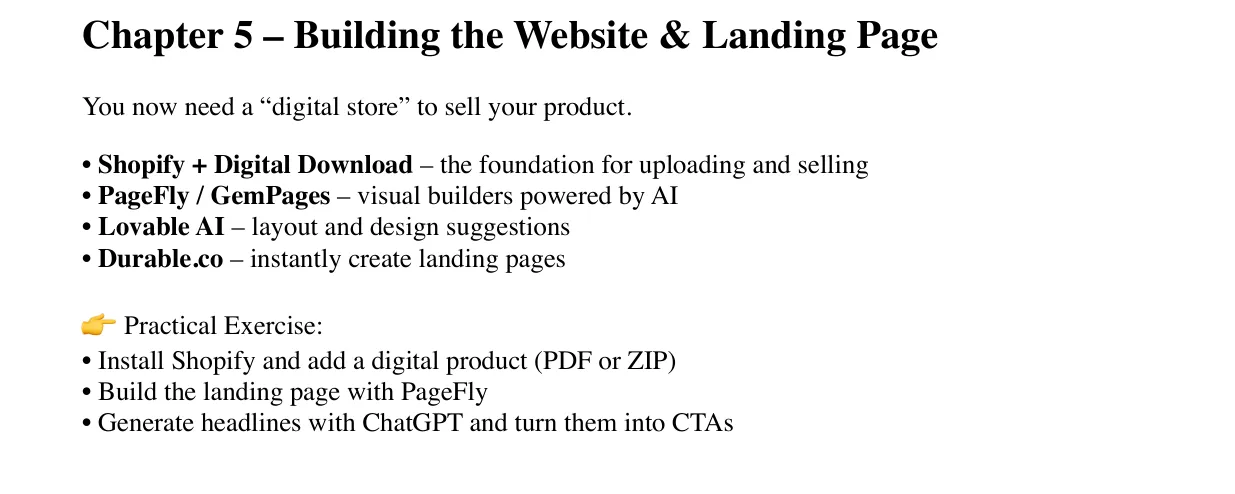
Il capitolo 5 nel manualeChapter 5 in the manual

Sito e landing pageWebsite and landing page

Serve un «negozio digitale» per vendere.You need a “digital store” to sell your product.

  • Tra gli strumenti: Shopify, PageFly, GemPages, Durable.Tools include: Shopify, PageFly, GemPages, Durable.
  • Esercizio 1. Installa Shopify e aggiungi un prodotto digitale (PDF o ZIP)Exercise 1. Install Shopify and add a digital product (PDF or ZIP)
  • Esercizio 2. Costruisci la landing page con PageFlyExercise 2. Build the landing page with PageFly
  • Esercizio 3. Genera headline con ChatGPT e usale come CTAExercise 3. Generate headlines with ChatGPT and turn them into CTAs
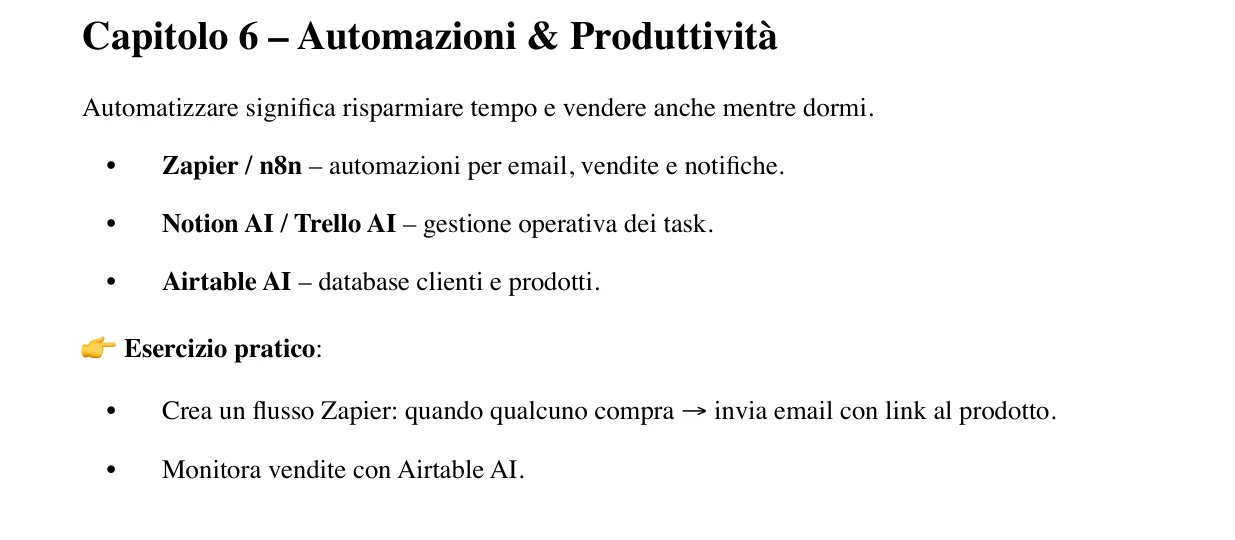
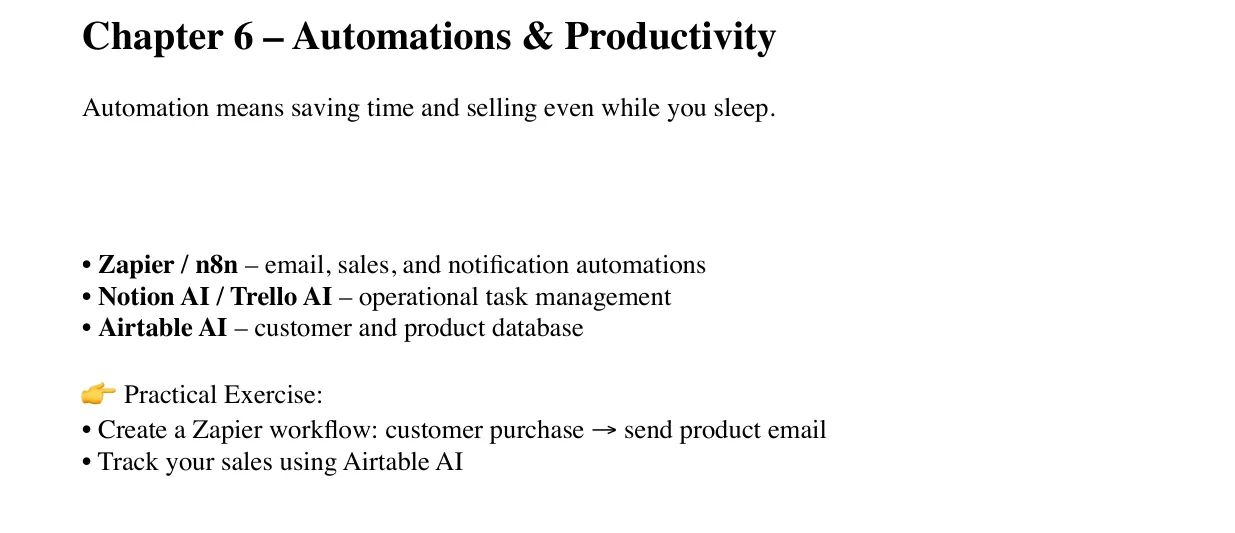
Il capitolo 6 nel manualeChapter 6 in the manual

AutomazioniAutomation

Automatizzare email, vendite e notifiche fa risparmiare tempo.Automating emails, sales and notifications saves time.

  • Tra gli strumenti: Zapier, n8n, Airtable AI per vendite e consegne.Tools include: Zapier, n8n, Airtable AI for sales and delivery.
  • Esercizio 1. Crea un flusso Zapier: acquisto → email con il link al prodottoExercise 1. Create a Zapier workflow: customer purchase → send product email
  • Esercizio 2. Monitora le vendite con Airtable AIExercise 2. Track your sales using Airtable AI
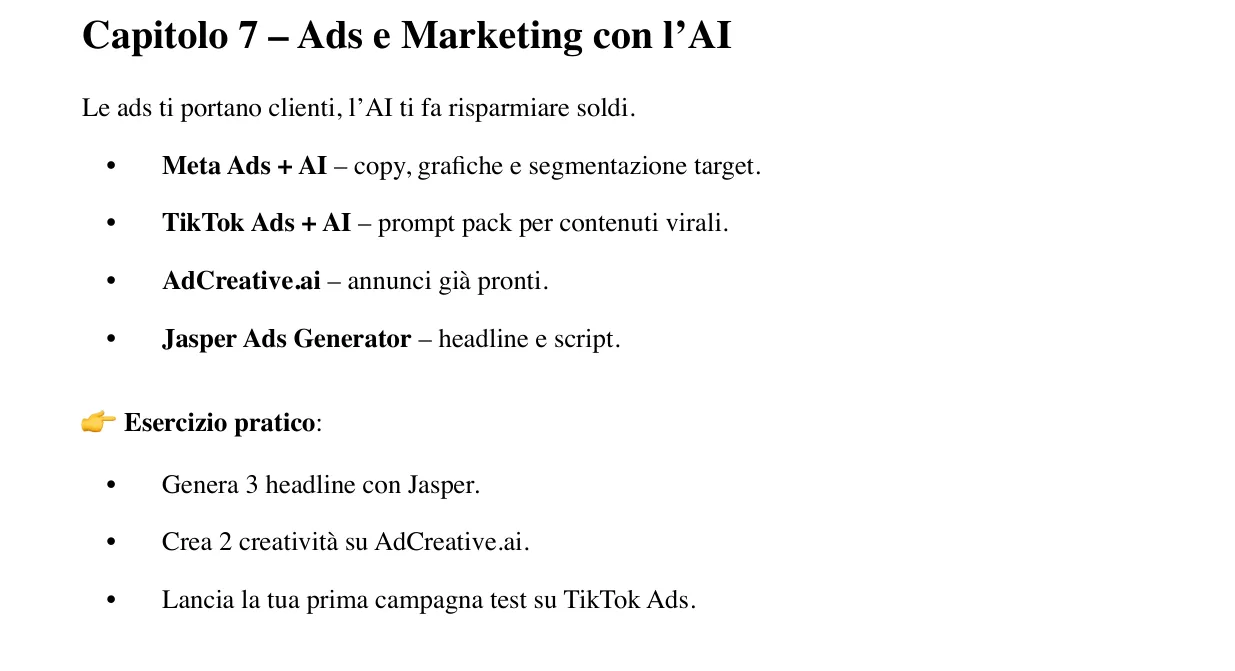
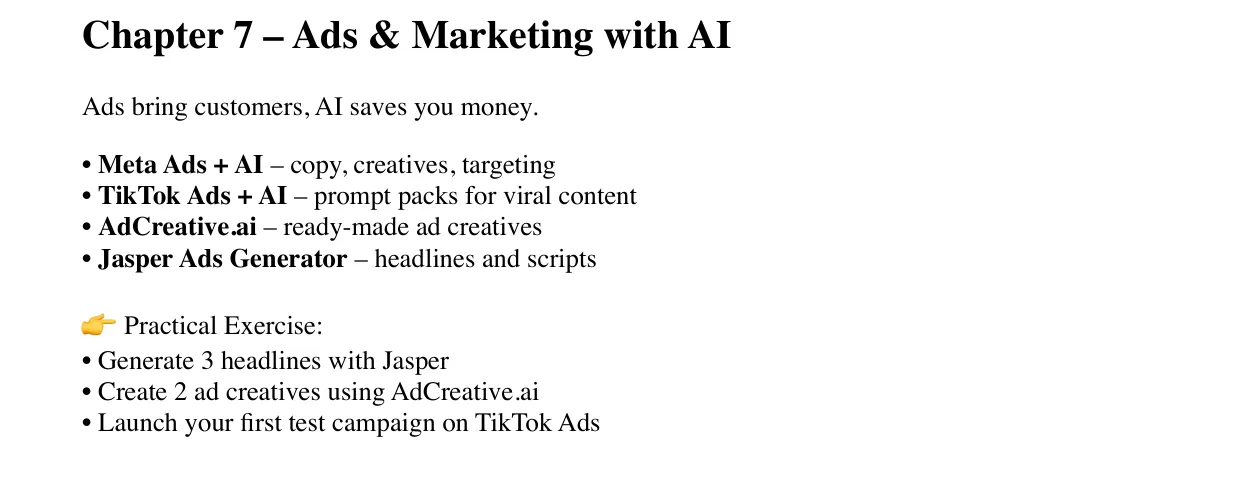
Il capitolo 7 nel manualeChapter 7 in the manual

Ads e marketingAds and marketing

Copy, grafiche e target delle campagne con l’aiuto dell’AI.Campaign copy, creatives and targeting with AI’s help.

  • Tra gli strumenti: AdCreative.ai, Jasper, Meta Ads, TikTok Ads.Tools include: AdCreative.ai, Jasper, Meta Ads, TikTok Ads.
  • Esercizio 1. Genera 3 headline con JasperExercise 1. Generate 3 headlines with Jasper
  • Esercizio 2. Crea 2 creatività su AdCreative.aiExercise 2. Create 2 ad creatives using AdCreative.ai
  • Esercizio 3. Lancia la prima campagna di prova su TikTok AdsExercise 3. Launch your first test campaign on TikTok Ads
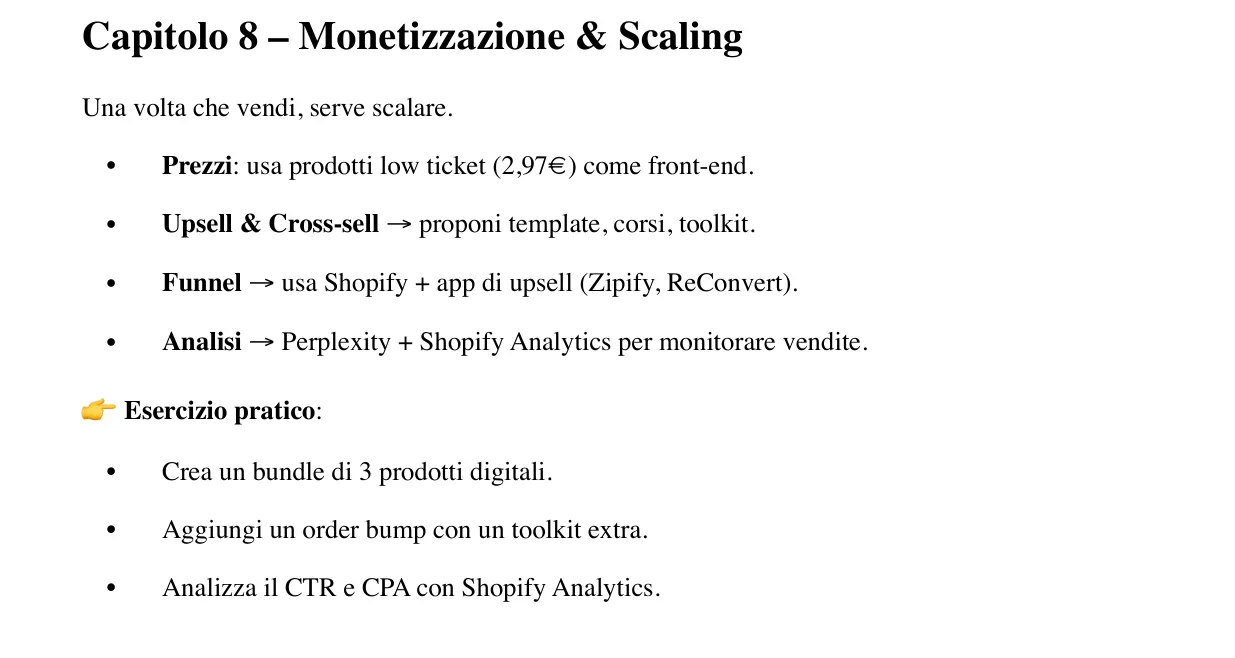
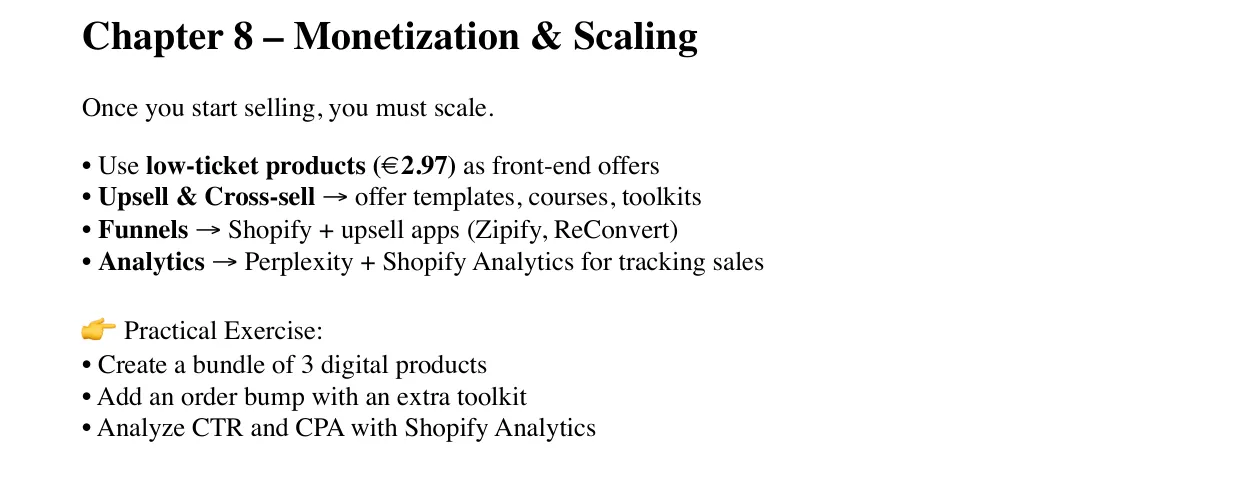
Il capitolo 8 nel manualeChapter 8 in the manual

Monetizzazione e crescitaMonetization and growth

Prezzi d’ingresso, upsell, bundle e analisi delle vendite.Entry prices, upsells, bundles and sales analytics.

  • Tra gli strumenti: ReConvert, Zipify, Shopify Analytics.Tools include: ReConvert, Zipify, Shopify Analytics.
  • Esercizio 1. Crea un bundle di 3 prodotti digitaliExercise 1. Create a bundle of 3 digital products
  • Esercizio 2. Aggiungi un order bump con un toolkit extraExercise 2. Add an order bump with an extra toolkit
  • Esercizio 3. Analizza CTR e CPA con Shopify AnalyticsExercise 3. Analyze CTR and CPA with Shopify Analytics
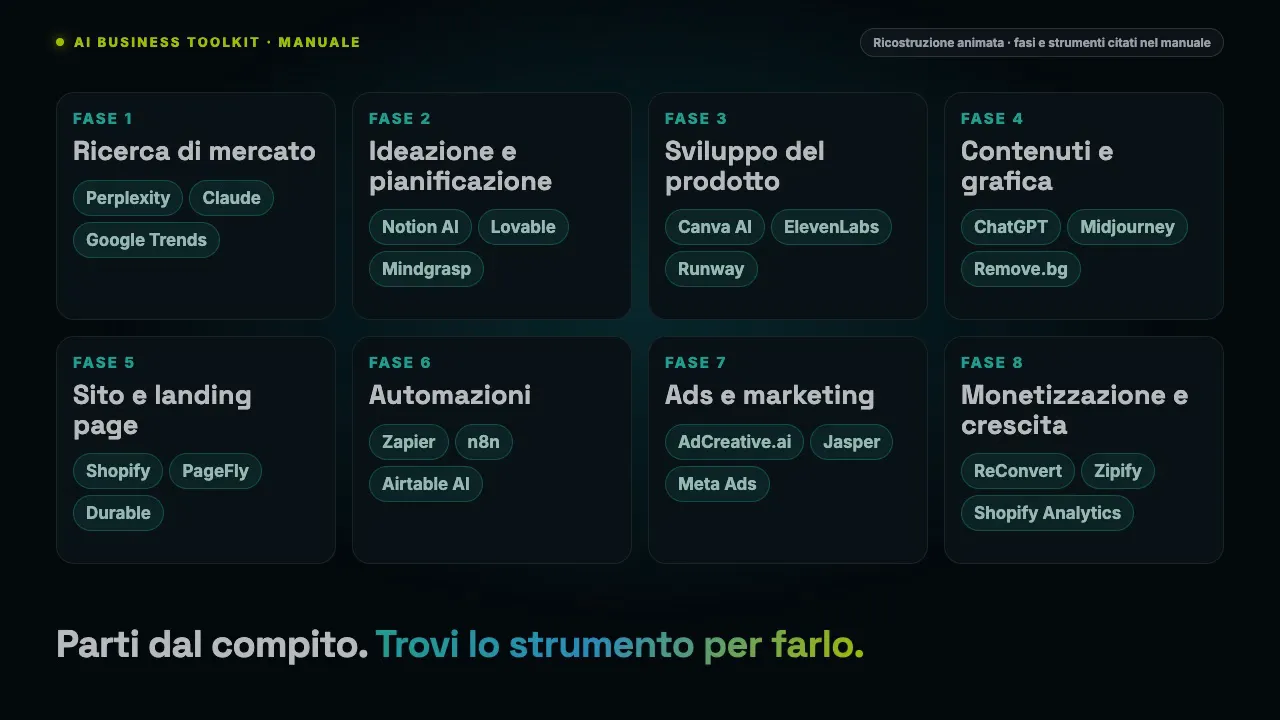
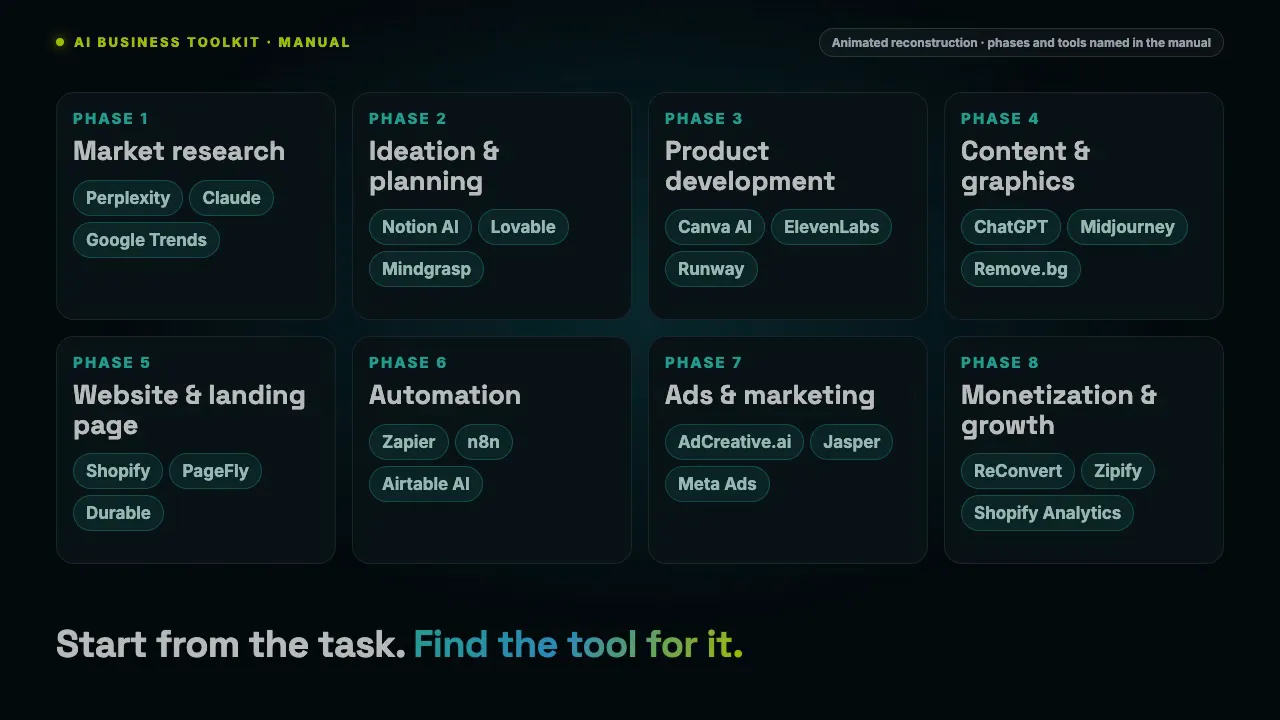
Animazione: le 8 fasi del manuale, ognuna con gli strumenti AI citatiAnimation: the manual’s 8 phases, each with the AI tools it names
La checklist finaleThe final checklist

Dieci passi in ordine, dalla nicchia alle prime ads.Ten steps in order, from niche to first ads.

A sinistra, le fasi e gli strumenti citati nel manuale in una ricostruzione grafica (premi play per l’animazione). Il manuale si chiude con una checklist che li rimette in fila:On the left, the phases and tools named in the manual in a graphic reconstruction (press play for the animation). The manual ends with a checklist that lines them up:

  • 1. Scegli una nicchia con Perplexity + Google Trends1. Choose your niche with Perplexity + Google Trends
  • 2. Valida l’idea su HeyBoss2. Validate your idea with HeyBoss
  • 3. Pianifica con Notion AI3. Plan with Notion AI
  • 4. Crea il prodotto (eBook, template, pack)4. Create the product (eBook, template, pack)
  • 5. Copertina e contenuti con Canva + MidJourney5. Design cover & assets with Canva + MidJourney
  • 6. Video promo con Pictory o Runway6. Promo videos with Pictory or Runway
  • 7. Apri Shopify e carica il prodotto7. Open Shopify and upload your product
  • 8. Landing page con PageFly8. Build the landing page with PageFly
  • 9. Attiva le automazioni (Zapier)9. Set up automations (Zapier)
  • 10. Prime ads con AdCreative.ai e monitora le vendite10. First ads with AdCreative.ai, then track sales
Dentro l’ebookInside the ebook

Sessanta pagine su processi e workflow.Sixty pages on processes and workflows.

Le pagine dell’ebook in inglese. Tocca per ingrandire.Pages from the English ebook. Tap to enlarge.

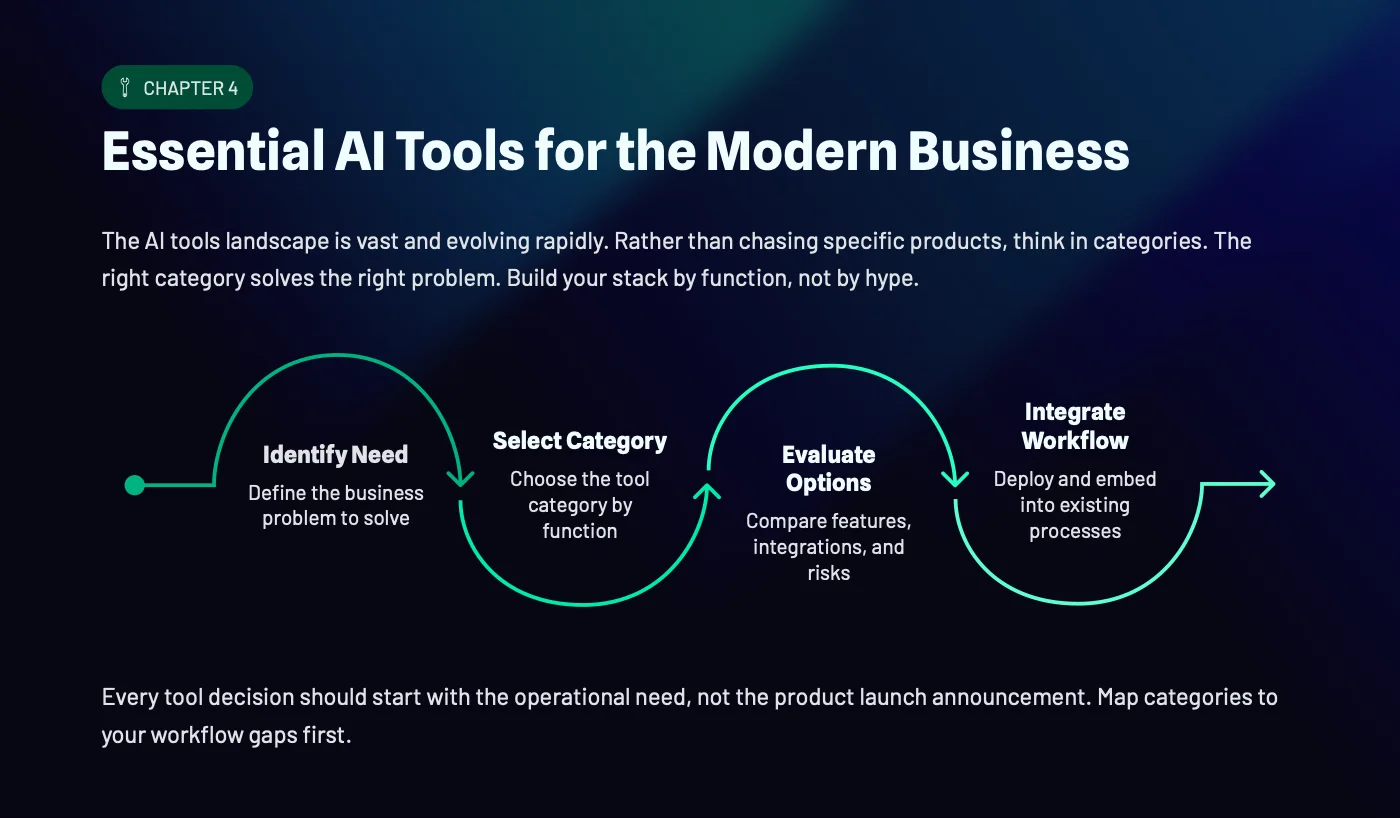
Gli strumenti per categoria
Gli strumenti per categoriaTools by category
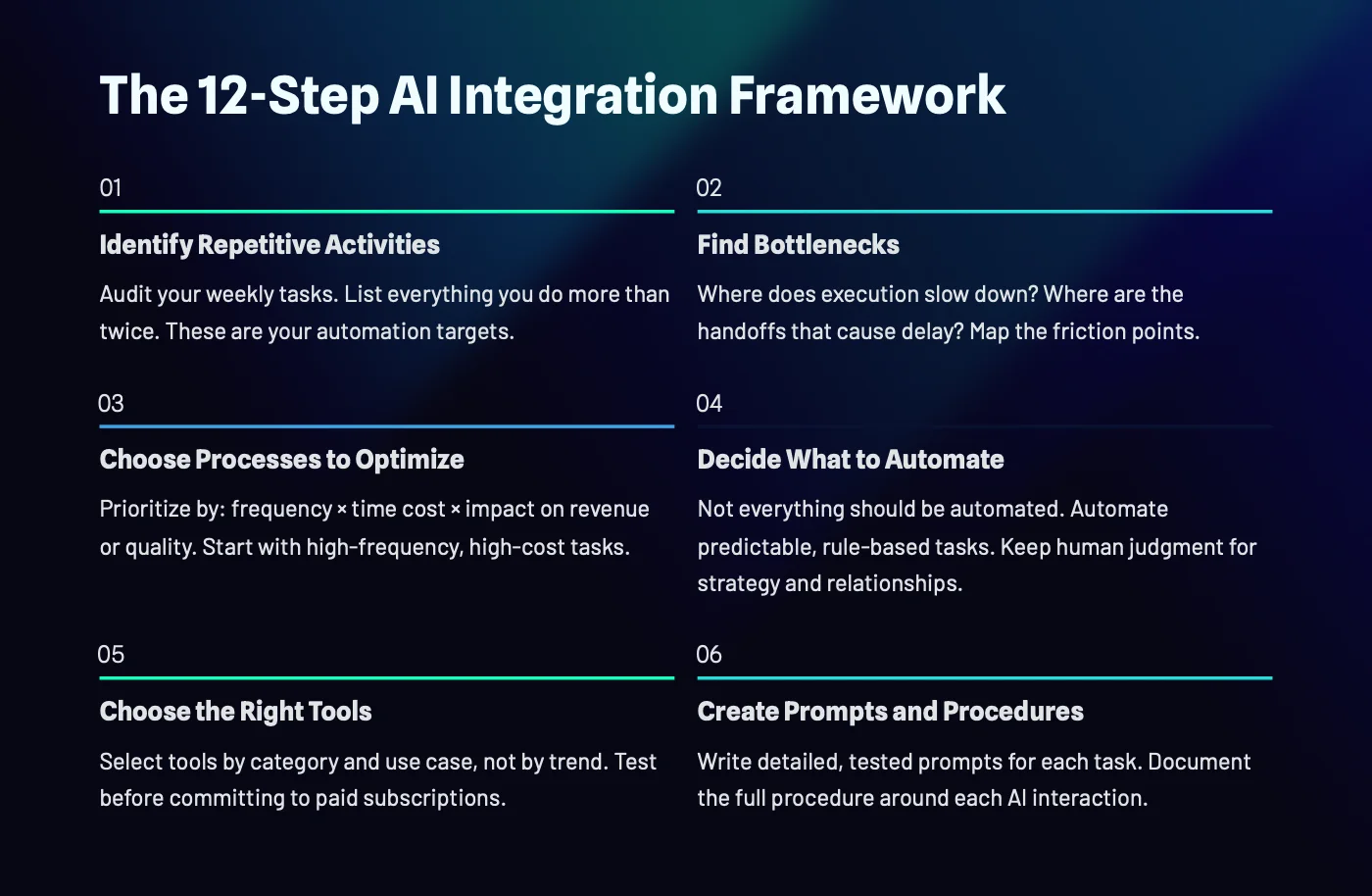
Il workflow in 12 passi
Il workflow in 12 passiThe 12-step workflow
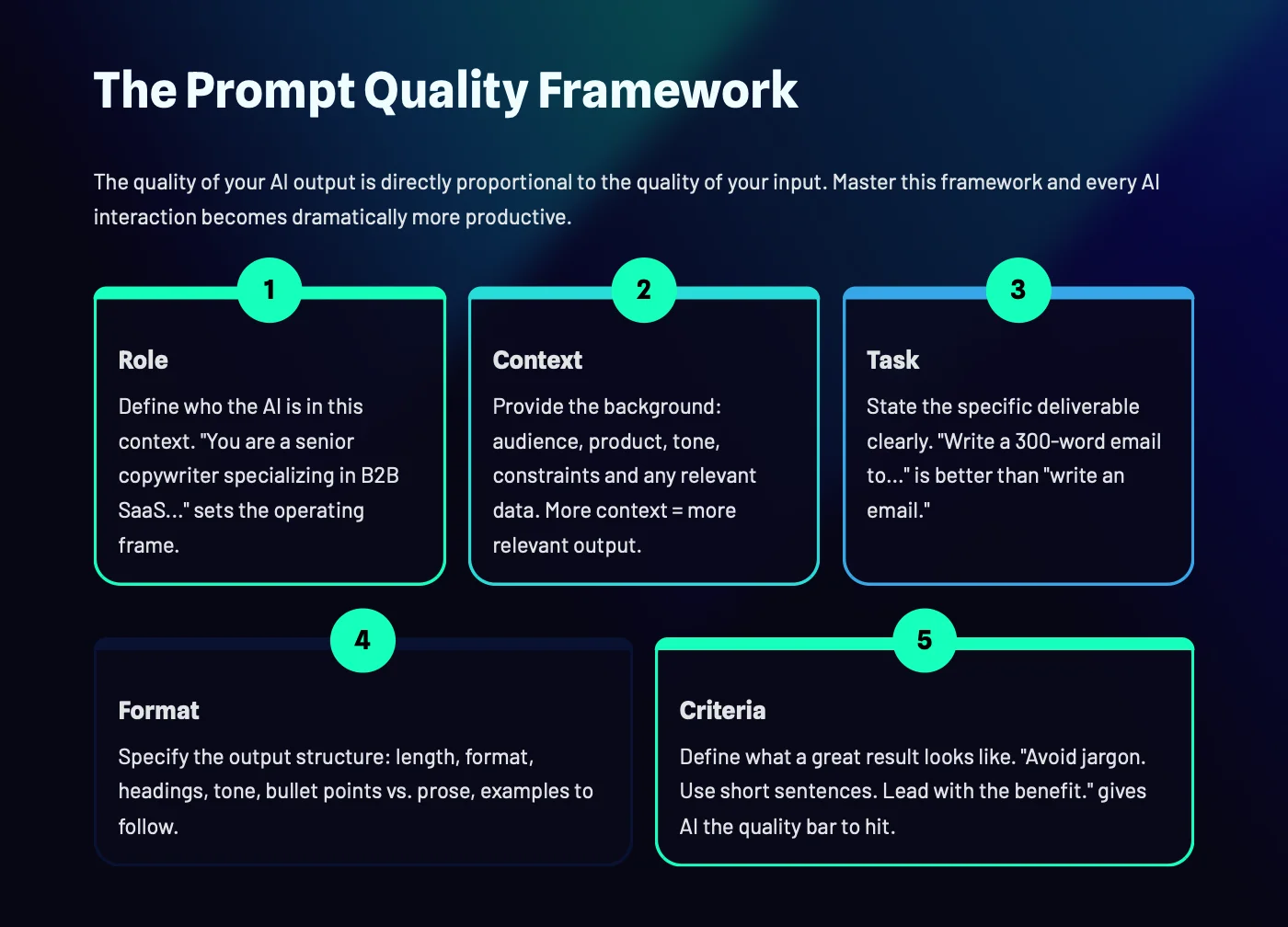
La qualità di un prompt
La qualità di un promptPrompt quality framework
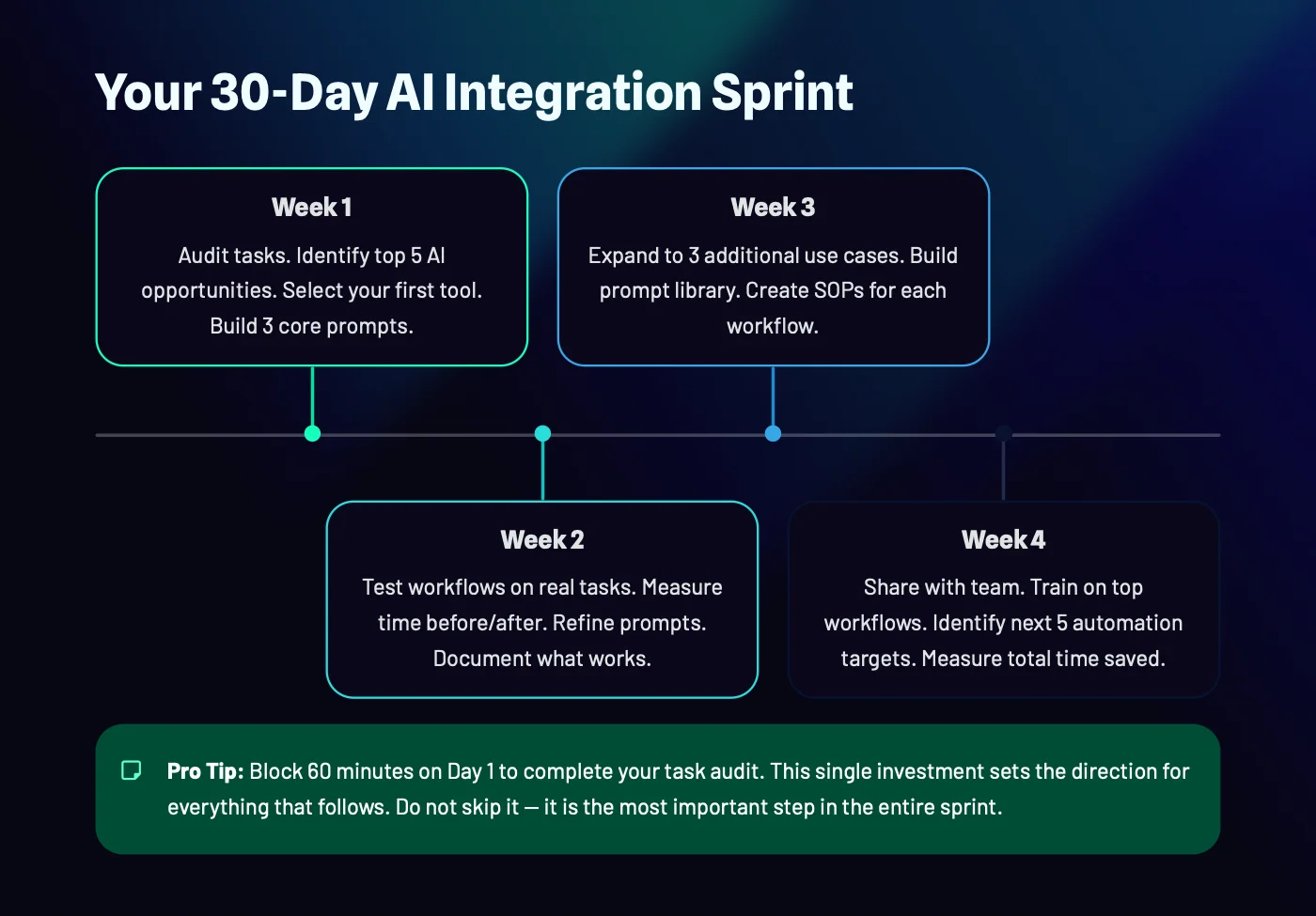
Lo sprint di 30 giorni
Lo sprint di 30 giorniThe 30-day sprint
Cosa cambiaWhat changes

Quando ti serve qualcosa, apri il toolkit.When you need something, open the toolkit.

Si parte dal compitoStart from the task

Cerchi quello che devi fare, non il nome dello strumento.You look for what you need to do, not the tool’s name.

Un esercizio per faseOne exercise per phase

Ogni fase si chiude con qualcosa da fare subito.Every phase ends with something to do right away.

Una checklist finaleA final checklist

Dieci passi in ordine, dalla nicchia alle prime ads.Ten steps in order, from niche to first ads.

Oltre gli strumentiBeyond the tools

L’ebook spiega come trasformare l’AI in processi, anche da offrire ai clienti.The ebook explains how to turn AI into processes, including ones to offer clients.

Cosa riceviWhat you get

Tre PDF, voce per voce.Three PDFs, item by item.

Il manuale in italianoThe Italian manual5 pagine, 8 fasi: strumenti di ogni fase, esercizio pratico, checklist finale in 10 passi.5 pages, 8 phases: each phase’s tools, a hands-on exercise, a 10-step final checklist.
inclusoincluded
Lo stesso manuale in ingleseThe same manual in English4 pagine, con le stesse 8 fasi, gli esercizi e la checklist.4 pages, with the same 8 phases, exercises and checklist.
inclusoincluded
Ebook «AI Business Toolkit», 60 pagine, in inglese“AI Business Toolkit” ebook, 60 pages, English11 capitoli: categorie di strumenti, scorciatoie, settori, workflow in 12 passi, errori, casi pratici, libreria di prompt, sprint di 30 giorni.11 chapters: tool categories, shortcuts, industries, 12-step workflow, mistakes, case studies, prompt library, 30-day sprint.
inclusoincluded
Accesso immediato nell’area riservataImmediate access in the members areaI PDF sono disponibili appena completi la registrazione.The PDFs are available as soon as you complete registration.
inclusoincluded
I tre PDFThe three PDFs
Pagamento unico · accesso a vita · nessun abbonamentoOne-time payment · lifetime access · no subscription
14,97 €
Pagamento unicoOne-time paymentAccesso a vitaLifetime accessPagamento sicuro con StripeSecure payment with Stripe
Per chi èWho it’s for

Per chi deve coprire più ruoli da solo.For anyone covering several roles alone.

È per te se…It’s for you if…

  • Hai una cartella di segnalibri e nessun flusso di lavoroYou have a folder of bookmarks and no workflow
  • Sei freelance e copri più funzioni da soloYou’re a freelancer covering several functions alone
  • Hai una piccola attività e scegli gli strumenti senza consulentiYou run a small business and choose tools without consultants
  • Vuoi vendere un prodotto digitale su ShopifyYou want to sell a digital product on Shopify

Non fa per te se…It’s not for you if…

  • Cerchi recensioni dettagliate o confronti di prezzo: qui c’è quale strumento usare in quale faseYou want detailed reviews or price comparisons: here you get which tool fits which phase
  • Vuoi un catalogo di oltre cento schede strumento: il manuale ne cita circa 40, l’ebook ragiona per categorieYou want over a hundred tool profiles: the manual names about 40, the ebook works by category
  • Cerchi un videocorso: sono PDF da consultareYou want a video course: these are PDFs to consult
Come funzionaHow it works

Dall’acquisto alla prima fase completata.From purchase to your first completed phase.

1

Acquisti nello shopCheck out in the shop

Pagamento unico con carta, Apple Pay o Google Pay.One-time payment by card, Apple Pay or Google Pay.

2

Completi la registrazioneComplete your registration

Ti arriva un’email: scegli una password o ricevi un codice temporaneo.You get an email: choose a password or receive a temporary code.

3

Scarichi i PDFDownload the PDFs

Dall’area riservata, nella sezione Corsi.From the members area, in the Courses section.

4

Parti dalla tua faseStart from your phase

Apri la fase in cui sei e fai l’esercizio.Open the phase you’re in and do the exercise.

RecensioniReviews

Solo recensioni di chi ha compratoOnly reviews from real buyers

Qui trovi solo recensioni vereOnly real reviews appear here

Le recensioni le lasciano i clienti dall’area riservata dopo l’acquisto, e compaiono qui solo dopo la verifica dell’ordine. Non scriviamo testimonianze a mano e non mostriamo voti che non esistono.Reviews are left by customers from the members area after purchase, and appear here only once the order is verified. We do not write testimonials by hand or show ratings that do not exist.

Hai già acquistato? Puoi lasciare la tua dall’area riservata.Already bought? You can leave yours from the members area.
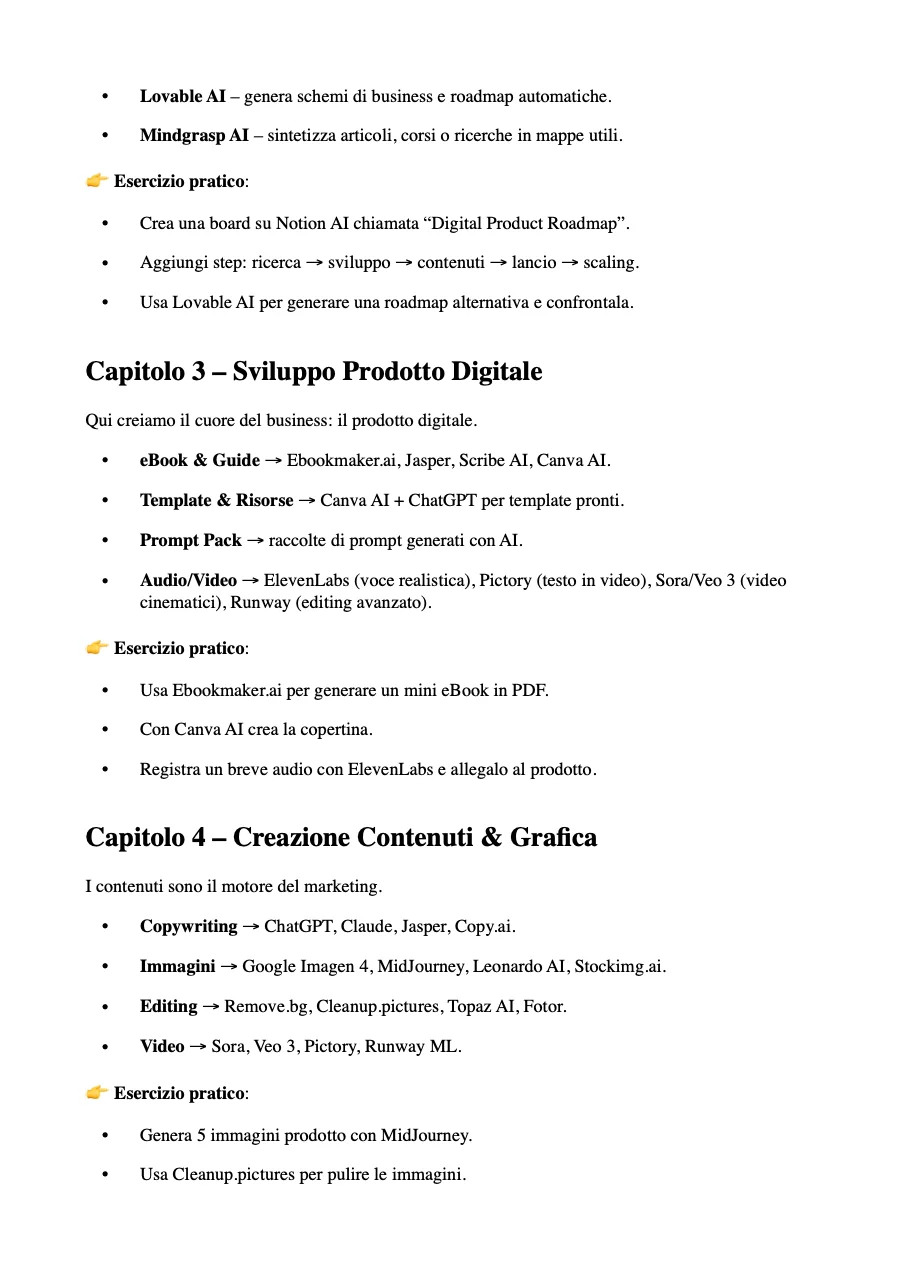
Una pagina del manuale italiano
Una pagina del manuale italianoA page from the Italian manual
Chi c’è dietroWho is behind it

Fa parte di The AI Creator System.Part of The AI Creator System.

Un manuale breve da tenere aperto e un ebook più ampio su come trasformare l’AI in processi. I nomi degli strumenti cambiano in fretta: conta la fase in cui li usi.A short manual to keep open and a broader ebook on turning AI into processes. Tool names change quickly: what matters is the phase you use them in.

Dietro c’è un’azienda vera, LA BUSINESS AGENCY LLC: pagamenti con Stripe, condizioni di vendita, rimborsi e recesso consultabili prima di comprare.Behind it is a real company, LA BUSINESS AGENCY LLC: payments through Stripe, sales terms, refunds and withdrawal readable before you buy.

Pagamento sicuroSecure paymentCarta, Apple Pay e Google Pay con Stripe: i dati della carta non passano da noi.Card, Apple Pay and Google Pay through Stripe: card data never touches us.
Accesso dall’area riservataAccess from the members areaDopo il pagamento ricevi un’email per completare la registrazione; poi trovi tutto nella sezione Corsi.After payment you get an email to complete your registration; then everything is in the Courses section.
Recesso e rimborsi chiariClear withdrawal and refundsValgono la politica sui rimborsi e il modulo di recesso.Our refund policy and withdrawal form apply.
Azienda realeA real companyLA BUSINESS AGENCY LLC, 1309 Coffeen Avenue STE 1200, Sheridan, Wyoming.
∞

Paghi una volta. I PDF restano tuoi.Pay once. The PDFs stay yours.

Nessun abbonamento: un pagamento e i tre PDF nella tua area riservata.No subscription: one payment and the three PDFs in your members area.

Accesso a vitaLifetime accessIT + EN3 PDF3 PDFs
L’offertaThe offer

Gli strumenti giusti, nella fase giusta.The right tools, in the right phase.

AI Business ToolkitAI Business Toolkit
AI Business Toolkit

AI Business Toolkit

Il manuale in 8 fasi, in italiano e in inglese, più l’ebook di 60 pagine su processi e workflow.The 8-phase manual in Italian and English, plus the 60-page ebook on processes and workflows.

  • Manuale in 8 fasi8-phase manual
  • Circa 40 strumenti citatiAbout 40 tools named
  • Un esercizio per faseOne exercise per phase
  • Checklist in 10 passi10-step checklist
  • Ebook di 60 pagine (EN)60-page ebook (EN)
  • Accesso a vitaLifetime access
14,97 €

Pagamento unico · accesso a vita · nessun abbonamentoOne-time payment · lifetime access · no subscription

Voglio il toolkitGet the toolkit
Pagamento sicuroSecure payment
Pagamento unicoOne-time paymentAccesso a vitaLifetime accessPagamento sicuro con StripeSecure payment with Stripe
Domande frequentiFAQ

Le risposte prima di comprareAnswers before you buy

Quanti strumenti ci sono?How many tools are there?
Il manuale cita circa 40 strumenti con il loro nome, divisi nelle 8 fasi. L’ebook in inglese ragiona per categorie di strumenti, così resta utile anche quando i nomi cambiano.The manual names about 40 tools, split across the 8 phases. The English ebook works by tool category, so it stays useful when names change.
In che lingua sono i PDF?What language are the PDFs in?
Il manuale è in italiano e in inglese; l’ebook di 60 pagine è in inglese.The manual is in Italian and English; the 60-page ebook is in English.
Gli strumenti sono gratuiti?Are the tools free?
Dipende dallo strumento: alcuni hanno piani gratuiti, altri sono a pagamento, con le loro condizioni. Il toolkit non include abbonamenti.It depends on the tool: some have free plans, others are paid, under their own terms. The toolkit doesn’t include subscriptions.
Serve Shopify?Do I need Shopify?
Il manuale usa Shopify come negozio per vendere prodotti digitali. Le fasi di ricerca, prodotto, contenuti e ads valgono anche se vendi altrove.The manual uses Shopify as the store for digital products. The research, product, content and ads phases apply wherever you sell.
Cosa ricevo esattamente e come?What exactly do I get, and how?
Tre PDF: il manuale in italiano (5 pagine), lo stesso in inglese (4 pagine) e l’ebook in inglese (60 pagine). Dopo il pagamento ricevi un’email per completare la registrazione e li trovi nella tua area riservata.Three PDFs: the Italian manual (5 pages), the same in English (4 pages) and the English ebook (60 pages). After payment you get an email to complete registration and find them in your members area.
Che differenza c’è con Claude Business OS e con i prompt pack?How is it different from Claude Business OS and the prompt packs?
Il toolkit ti dice quale strumento usare in quale fase per creare e vendere un prodotto digitale. Claude Business OS e i prompt pack sono invece raccolte di prompt da usare dentro l’AI.The toolkit tells you which tool to use in which phase to create and sell a digital product. Claude Business OS and the prompt packs are collections of prompts to use inside AI.
Posso chiedere un rimborso?Can I get a refund?
Valgono la politica sui rimborsi e il modulo di recesso del sito, che puoi leggere prima di comprare.Our refund policy and withdrawal form apply; you can read them before buying.
Ultimo passoLast step

La prossima volta sai già quale strumento aprire.Next time you already know which tool to open.

Apri la fase in cui sei, trovi gli strumenti per quel compito e scegli senza perdere una serata fra recensioni.Open the phase you’re in, find the tools for that task and choose without losing an evening to reviews.

8fasiphases
3PDFPDFs
∞accesso, un solo pagamentoaccess, one payment
14,97 €
Pagamento unico · accesso a vita · nessun abbonamentoOne-time payment · lifetime access · no subscription
Pagamento unicoOne-time paymentAccesso a vitaLifetime accessPagamento sicuro con StripeSecure payment with Stripe
Pagamento sicuroSecure payment
AI Business Toolkit14,97 € · accesso a vitalifetime access
Voglio il toolkitGet the toolkit